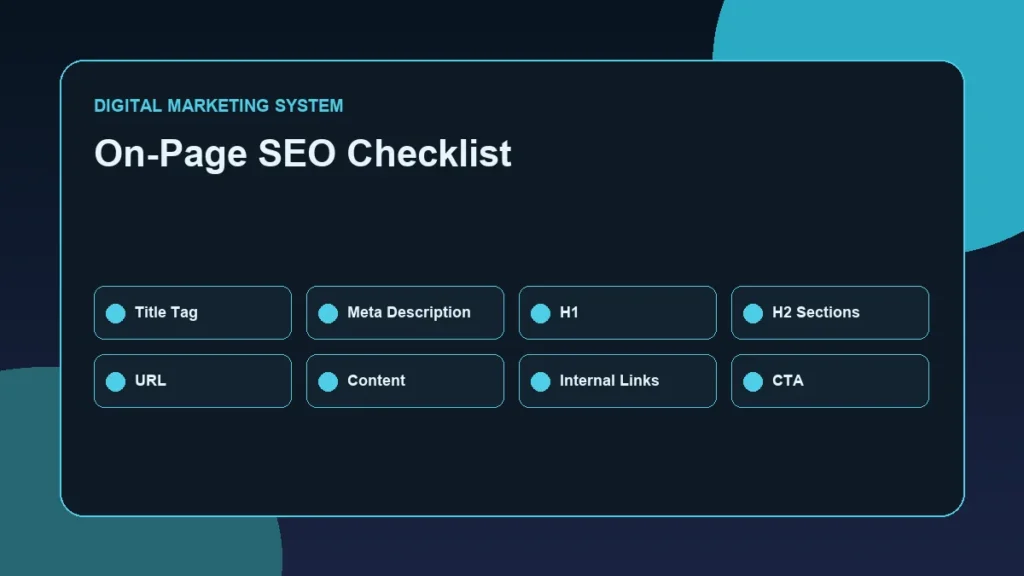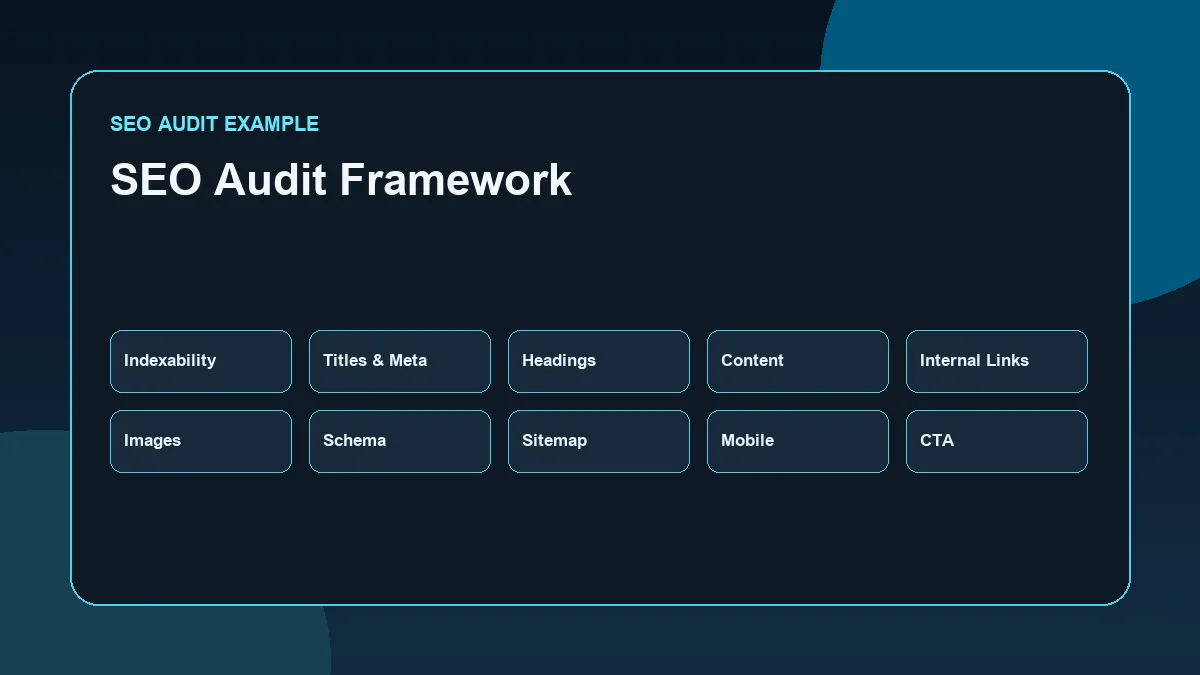
An SEO audit is not just a list of errors. A useful SEO audit explains what is working, what needs improvement, why it matters, and which actions should be prioritized first.
An SEO Audit Example is a practical walkthrough that reviews indexability, metadata, headings, search intent, internal links, images, schema, sitemap signals, mobile usability and conversion paths, then turns those findings into prioritized actions.
This SEO Audit Example shows how a WordPress portfolio website can be reviewed across technical SEO, on-page SEO, content structure, internal linking, schema, images, mobile usability, and conversion paths.
The purpose is not to claim rankings, traffic growth, or conversion improvements. The purpose is to demonstrate a practical SEO audit workflow that can be used to review a real website responsibly.
Audit Disclosure and Scope
This article is a portfolio audit example.
It combines the documented structure of this website with a practical SEO audit framework and hypothetical recommendations where live performance data is not included.
This audit does not claim:
- Ranking improvements
- Traffic growth
- Lead growth
- Conversion-rate improvement
- Search Console performance data
- Analytics results
- PageSpeed score improvements
- Client results
The audit focuses on SEO structure and implementation thinking.
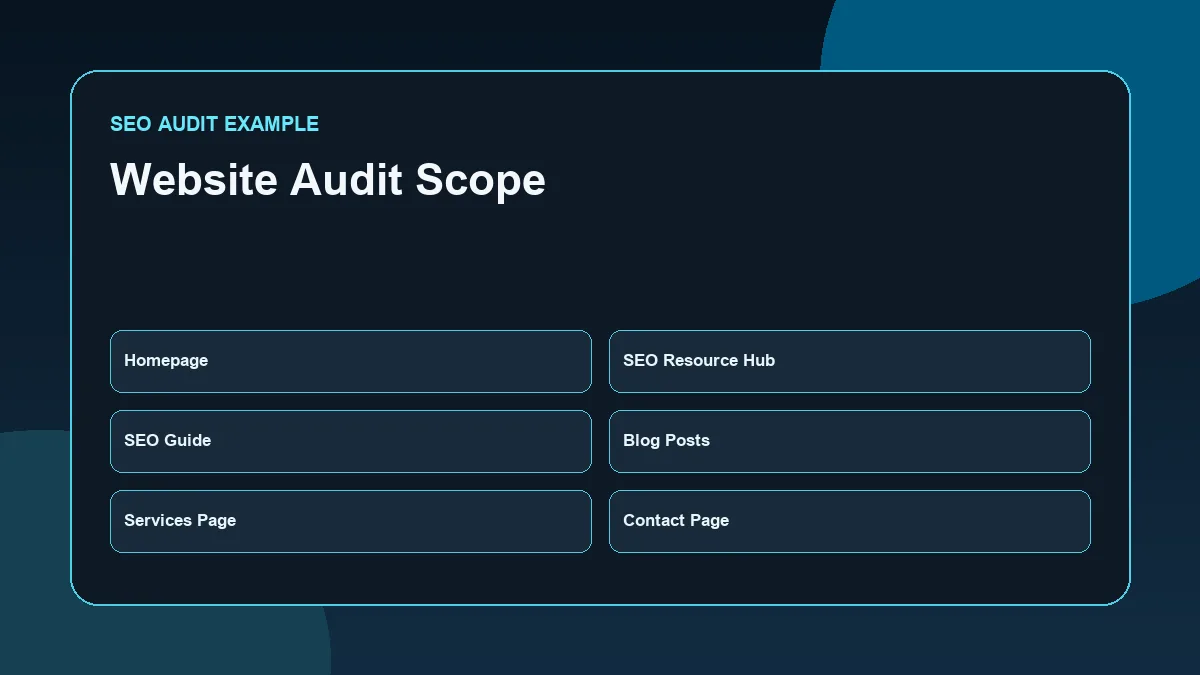
The website context used in this example includes a WordPress portfolio website with:
- Homepage
- SEO Resource Hub
- Performance Marketing Resource Hub
- Social Media Marketing Resource Hub
- SEO Guide
- Performance Marketing Guide
- Social Media Marketing Guide
- Blog archive
- Services page
- Contact page
- Published SEO, performance marketing, and social media marketing articles
This makes it suitable for a practical SEO audit example because the website has content, topic clusters, internal links, service intent, and portfolio positioning.
What Is an SEO Audit?
An SEO audit is a structured review of a website’s search visibility foundation.
It checks whether important pages are accessible, understandable, relevant, connected, and useful for the intended audience.
A practical SEO audit usually reviews:
- Indexability
- Crawl access
- Titles and meta descriptions
- Heading structure
- Search intent alignment
- Content quality
- Internal linking
- Images
- Schema
- Canonicals
- Sitemap
- Robots directives
- Mobile usability
- Page speed
- CTA clarity
- Tracking readiness
Google’s SEO Starter Guide explains that SEO best practices help search engines crawl, index, and understand website content. That is the same foundation an SEO audit should review. (Google SEO Starter Guide)
A good audit should not stop at identifying problems. It should convert findings into action.
Why a WordPress Portfolio Website Needs an SEO Audit
A portfolio website needs SEO because it is not only a digital resume. It can also become a professional proof platform.
For a digital marketing portfolio, SEO matters because the website needs to communicate:
- Who the professional is
- What topics the website covers
- Which services or skills are relevant
- Which articles support expertise
- How content is structured
- How users can move from learning to contacting
- How search engines can understand the site
WordPress makes publishing easier, but it does not automatically create strong SEO.
A WordPress portfolio can still have:
- Weak title tags
- Duplicate or unclear meta descriptions
- Multiple H1 issues
- Orphan blog posts
- Missing alt text
- Poor internal links
- Thin service pages
- Incorrect schema
- Slow pages
- Weak mobile spacing
- Unclear CTAs
- Outdated sitemap settings
An SEO audit helps identify these issues before they weaken the website’s structure.
SEO Audit Areas Covered in This Example
This audit example reviews ten practical areas.
| Audit Area | Main Question |
|---|---|
| Indexability and crawl access | Can search engines access important pages? |
| Titles and meta descriptions | Are search snippets clear and unique? |
| Heading structure | Does each page have a clear hierarchy? |
| Content and search intent | Does the content match the page purpose? |
| Internal linking | Are hubs, pillars, clusters, and proof pages connected? |
| Images and alt text | Are images optimized and descriptive? |
| Schema | Is structured data appropriate and accurate? |
| Canonicals, sitemap, robots directives | Are technical signals clean? |
| Page speed and mobile usability | Is the experience usable and efficient? |
| CTA clarity | Can users take the next step easily? |
This structure keeps the audit focused and practical.
Audit Area 1 — Indexability and Crawl Access
The first audit question is simple:
Can important pages be discovered, crawled, and indexed?
For a WordPress portfolio website, important indexable pages may include:
- Homepage
- Services page
- Contact page
- Resource hubs
- Pillar guides
- Blog posts
- Case-study or proof posts
Pages that should usually not compete in search may include:
- Admin pages
- Internal search result pages
- Thin tag archives
- Duplicate archives
- Utility pages
- Thank-you pages, depending on tracking setup
A practical audit should check whether key pages are indexable and whether unnecessary pages are blocked or noindexed properly.
Useful checks include:
- Is the page returning a valid status code?
- Is the page blocked by robots.txt?
- Does the page have a noindex directive?
- Is the canonical URL correct?
- Is the page included in the sitemap?
- Does Google Search Console show indexing issues?
Google’s URL Inspection tool can show what Google knows about a specific page and can test whether a live URL may be indexable. (Google URL Inspection documentation)
Example Audit Finding
| Item | Example Finding | Priority |
|---|---|---|
| Homepage | Should be indexable and canonical to itself | High |
| Resource hubs | Should be indexable because they organize topical authority | High |
| Blog posts | Should be indexable if they target unique search intent | High |
| Thin archives | Should be reviewed to avoid low-value indexation | Medium |
| Utility pages | Should be noindexed where appropriate | Medium |
The goal is not to index every URL. The goal is to index useful URLs that support the website’s search and business purpose.
Audit Area 2 — Titles and Meta Descriptions
Titles and meta descriptions help explain what each page is about.
For a WordPress SEO audit, each important page should have:
- One unique SEO title
- One unique meta description
- A clear primary keyword or topic
- Natural wording
- No keyword stuffing
- No duplicate title intent
- No misleading claims
For a portfolio website, page titles should balance SEO and credibility.
A weak title may sound too generic:
“Home — Digital Marketing”
A stronger title is clearer:
“Deepak Ramachandran — SEO and Performance Marketing Professional”
For the homepage, the focus keyword is “Best Digital Marketer in Thrissur,” but it should be used naturally and not forced into every page or blog.
For blog posts, each title should match the search intent of that article.
Example Audit Finding
| Page Type | What to Check | Example Recommendation |
|---|---|---|
| Homepage | Main keyword and professional positioning | Keep the homepage title locally relevant and credible |
| Hub pages | Topic category clarity | Use titles that clearly identify SEO, performance marketing, or SMM |
| Pillar guides | Broad educational intent | Use guide-based titles aligned with the pillar topic |
| Blog posts | Unique cluster intent | Avoid repeating focus keywords from other posts |
| Contact page | Conversion clarity | Use a simple contact-focused title |
The audit should also check whether RankMath title and meta fields are filled manually instead of relying only on automatic templates.
Audit Area 3 — Heading Structure
Headings help structure the page for readers and search engines.
A clean page should normally have:
- One H1
- Clear H2 sections
- H3 subsections where needed
- No skipped structure used only for design
- No repeated H1s inside Elementor sections
- Headings that describe the content accurately
WordPress and Elementor pages can sometimes create heading issues when design blocks are copied. A section title may look visually correct but use the wrong heading tag.
For a portfolio website, this matters because pages need clear hierarchy.
Example:
| Page | Ideal H1 Direction |
|---|---|
| Homepage | Main professional positioning |
| SEO Resource Hub | SEO Resource Hub |
| SEO Guide | SEO Guide |
| Services | Digital Marketing Services or relevant service title |
| Contact | Contact Deepak Ramachandran |
| Blog post | Exact blog H1 matching the post topic |
Example Audit Finding
If a page has multiple H1s, the recommendation should not be to redesign the page. The safe recommendation is to adjust heading tags while preserving the visual design.
For example:
- Keep the visible layout unchanged.
- Keep the main page title as H1.
- Convert repeated section titles to H2 or H3.
- Check mobile layout after changing heading tags.
Audit Area 4 — Content Structure and Search Intent
Every page should satisfy one clear purpose.
A homepage introduces the professional identity. A hub page organizes related content. A pillar page explains a broad topic. A blog post answers a focused search query. A services page explains what can be offered. A contact page helps users take action.
An SEO audit should check whether each page matches its intent.
For example:
| Page Type | Search Intent | Audit Question |
|---|---|---|
| Homepage | Branded and local professional discovery | Does it clearly explain who the site represents? |
| Hub page | Topic navigation | Does it organize related resources clearly? |
| Pillar page | Broad informational guide | Does it cover the main topic and link to clusters? |
| Blog post | Focused query | Does it answer one specific topic fully? |
| Services page | Commercial investigation | Does it explain service scope and next steps? |
| Contact page | Conversion | Is contacting easy and clear? |
A common SEO problem is publishing blogs that repeat the same intent.
For example, these could compete if not separated carefully:
- On-page SEO checklist
- WordPress SEO checklist
- Technical SEO for WordPress
- SEO audit checklist
Each article needs a distinct purpose.
The audit should check whether the website avoids duplicate intent and keyword cannibalization.
Audit Area 5 — Internal Linking
Internal links connect the website into a system.
A portfolio website with hubs, pillars, clusters, and proof posts needs a clear internal linking structure.
A strong SEO structure may look like this:
Homepage → SEO Resource Hub → SEO Guide → SEO Cluster Blogs → SEO Proof Posts
For this website structure, internal linking should connect:
- SEO Resource Hub to SEO Guide
- SEO Guide to SEO cluster blogs
- Cluster blogs back to SEO Guide
- Related SEO blogs to each other
- Proof posts to the relevant concept articles
- Services page where commercial relevance exists
- Contact page where a next step is useful
Example Audit Finding
| Internal Linking Area | Example Review | Recommendation |
|---|---|---|
| Hub to pillar | SEO Resource Hub should link to SEO Guide | Ensure the hub highlights the pillar clearly |
| Pillar to clusters | SEO Guide should link to SEO blogs | Add relevant cluster links inside the guide |
| Cluster to pillar | SEO blogs should link back to SEO Guide | Add contextual links, not generic footer links |
| Cluster to cluster | Related SEO blogs should connect | Link keyword research, on-page SEO, technical SEO, and internal linking |
| Proof posts | Future proof posts should link to concept articles | Connect audit examples and implementation breakdowns |
A practical audit should also check for orphan posts.
If a blog post has no meaningful internal links pointing to it, it may be isolated from the site architecture.
Audit Area 6 — Images and Alt Text
Images support SEO, accessibility, explanation, and visual quality.
A WordPress portfolio website should check:
- Image file names
- Image format
- File size
- Compression
- Alt text
- Relevance
- Placement
- Mobile display
- Lazy loading where appropriate
- Whether images explain the content
A weak image filename might be:
`download-1.png`
A stronger filename is:
`seo-audit-example-wordpress-website.webp`
Alt text should describe the image naturally.
Weak alt text:
“SEO image”
Stronger alt text:
“SEO audit checklist for a WordPress portfolio website”
Alt text should not be stuffed with keywords. It should describe the image and its purpose.
Example Audit Finding
| Image Area | Example Issue | Recommendation |
|---|---|---|
| File names | Generic names | Use descriptive lowercase hyphenated names |
| Format | Large PNG files | Use WEBP where practical |
| Alt text | Missing or vague alt text | Add descriptive alt text |
| Visual relevance | Generic stock-style visuals | Use original diagrams, checklists, or workflow visuals |
| Compression | Large files | Compress before upload |
For portfolio SEO content, original diagrams and workflow cards are stronger than generic marketing stock images.
Audit Area 7 — Schema and Structured Data
Schema helps search engines understand page type and entity relationships.
A WordPress portfolio website should use schema carefully.
For normal blog posts, Article or BlogPosting schema is usually appropriate. For the website structure, Breadcrumb schema can help represent page hierarchy when configured correctly.
Schema should match the visible page content.
Avoid:
- Fake review schema
- Fake ratings
- Fake testimonials
- Fake FAQ schema where questions are not visible
- Fake service schema on unrelated blog posts
- Organization schema if the site is not representing a separate organization
- Unsupported claims inside structured data
Example Audit Finding
| Page Type | Suitable Schema Direction |
|---|---|
| Blog posts | Article or BlogPosting |
| Guides | Article |
| Hub pages | CollectionPage where appropriate |
| Services page | Service schema only if visible content supports it |
| Contact page | Basic webpage/contact intent; avoid fake claims |
| FAQ sections | FAQ schema only if visible FAQs exist |
The audit recommendation should be conservative: use valid schema, match visible content, and avoid schema types that exaggerate authority.
Audit Area 8 — Canonicals, Sitemap, and Robots Directives
Technical signals help search engines understand which URLs should be crawled, indexed, and treated as preferred versions.
A practical WordPress SEO audit should review:
- Canonical URLs
- XML sitemap
- Robots.txt
- Robots meta tags
- Noindex settings
- Redirects
- URL consistency
- HTTP to HTTPS consistency
- Trailing slash consistency where relevant
Google’s canonical documentation explains that canonical URLs can be used to indicate a preferred URL for duplicate or very similar pages. (Google canonical URL documentation)
Google’s sitemap documentation explains that sitemaps can be submitted in Search Console and can help Google discover URLs included in the sitemap. (Google sitemap documentation)
Google’s robots meta tag documentation explains that page-level settings can be used to control how Google presents or handles page content in search results. (Google robots meta tag documentation)
Example Audit Finding
| Technical Signal | Example Check | Recommendation |
|---|---|---|
| Canonical | Important pages canonical to themselves | Confirm RankMath canonical output |
| Sitemap | Blog posts and important pages included | Check sitemap after publishing new blogs |
| Robots.txt | Does not block important pages | Review only when needed |
| Noindex | Used only for low-value or utility pages | Avoid accidental noindex on key pages |
| Redirects | Old URLs redirected where changed | Add 301 redirects if slugs change |
For this website, the SEO Guide URL should remain `/seo-guide/`. Any old `/seo-guide-for-beginners/` references should be updated and redirected if that old URL was previously used.
Audit Area 9 — Page Speed and Mobile Usability
Page speed and mobile usability affect user experience.
A WordPress portfolio website often uses Elementor, images, plugins, fonts, scripts, and design effects. These can affect loading and responsiveness if not controlled.
The audit should review:
- Mobile layout
- Tap targets
- Text readability
- Image sizes
- Unused heavy sections
- Form usability
- Layout shifts
- Hero section weight
- Plugin load
- Basic Core Web Vitals direction
- Whether important content appears clearly on mobile
This audit should avoid unsafe recommendations without backup.
Safe recommendations may include:
- Compress images
- Use WEBP where practical
- Avoid uploading oversized images
- Remove unnecessary duplicate media
- Check mobile spacing in Elementor
- Keep tables responsive
- Avoid heavy sliders or unnecessary animations
- Test forms on mobile
- Review page experience with standard tools
Unsafe recommendations without backup may include:
- Editing theme files
- Changing plugin code
- Removing scripts blindly
- Editing database tables
- Dequeuing assets without testing
- Changing caching or server configuration without rollback
For a portfolio website, performance work should be careful and reversible.
Audit Area 10 — CTA Clarity and Conversion Paths
SEO should not end with traffic. The website should also guide users toward useful next steps.
For a portfolio website, CTAs may include:
- Explore SEO Resource Hub
- Read the SEO Guide
- Review Services
- Contact Deepak Ramachandran
- View related implementation articles
- Explore performance marketing resources
- Read social media marketing resources
A CTA audit should check:
- Is the CTA relevant to the page?
- Does the CTA match the visitor’s intent?
- Is the contact path clear?
- Is the form working?
- Are WhatsApp, email, phone, or other links correct?
- Is the CTA visible on mobile?
- Is the CTA too aggressive?
- Is the CTA repeated naturally, not forcefully?
For educational blogs, a soft CTA is better than a hard sales push.
Example:
“Explore the SEO Resource Hub for related implementation guides, or review the Services page if your business website needs a structured SEO foundation.”
That CTA is relevant, clear, and low pressure.
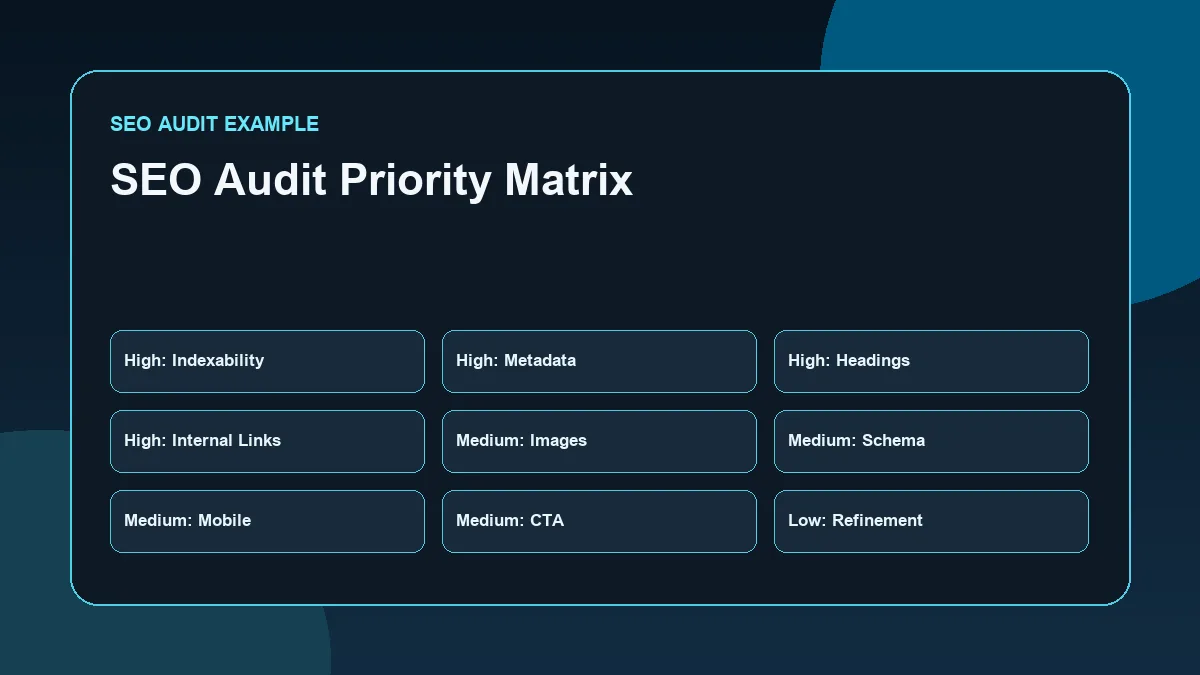
SEO Audit Priority Table
An SEO audit should prioritize actions.
Not every issue has the same impact. Some issues affect indexability and page understanding. Others improve quality, clarity, or conversion paths.
| Priority | Audit Area | Why It Matters | Example Action |
|---|---|---|---|
| High | Indexability | Important pages must be discoverable | Check noindex, robots, sitemap, URL inspection |
| High | Titles and meta | Search snippets need clarity | Rewrite duplicate or weak titles |
| High | Heading structure | Pages need clear hierarchy | Keep one H1 and logical H2/H3 sections |
| High | Internal links | Content must support topical authority | Link hubs, pillars, clusters, and proof posts |
| Medium | Images | Improves page quality and accessibility | Rename, compress, and add alt text |
| Medium | Schema | Helps clarify page type | Use Article, BlogPosting, Breadcrumb where appropriate |
| Medium | CTAs | Supports business action | Improve contact and resource paths |
| Medium | Mobile usability | Most users need a clean mobile experience | Check spacing, buttons, forms, and tables |
| Low to Medium | Page speed refinements | Improves experience | Optimize safely without risky file edits |
Priority should be based on the website’s actual condition, not a generic checklist.
Practical SEO Audit Workflow
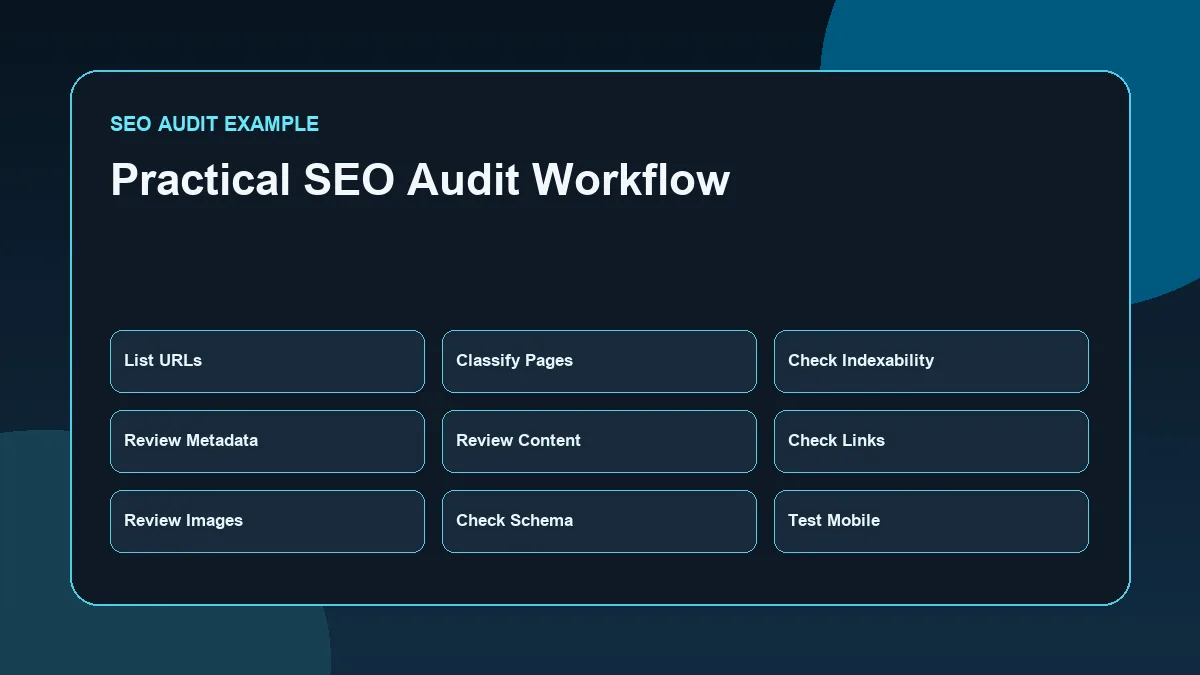
A practical audit can follow this workflow.
Step 1: List Important URLs
Start with the main URLs:
- Homepage
- Resource hubs
- Pillar guides
- Services page
- Contact page
- Blog posts
- Proof posts
- Blog archive
This creates the audit scope.
Step 2: Classify Each Page
Classify each page by purpose.
Example:
| URL Type | Purpose |
|---|---|
| Homepage | Professional positioning |
| Hub page | Topic organization |
| Pillar page | Broad guide |
| Cluster blog | Specific search intent |
| Proof post | Practical demonstration |
| Services page | Commercial explanation |
| Contact page | Conversion |
This helps avoid auditing every page the same way.
Step 3: Check Indexability
Review whether important pages are indexable and included in the sitemap.
Use Search Console where access is available.
Step 4: Review Titles, Meta, and Headings
Check whether each important page has a unique title, meta description, H1, and logical section structure.
Step 5: Review Content Against Search Intent
Ask whether each page satisfies the reason someone would visit it.
A blog should answer the query. A service page should explain the service. A hub should organize resources. A contact page should make contact easy.
Step 6: Review Internal Links
Check whether each page links to the right hub, pillar, cluster, proof, service, or contact page.
Also check whether older posts link to newer relevant posts.
Step 7: Review Images
Check image names, file size, format, alt text, and visual usefulness.
Step 8: Review Schema
Check whether schema matches the visible content and avoids fake claims.
Step 9: Review Mobile and CTA Flow
Test key pages on mobile.
Check whether users can read, navigate, and contact easily.
Step 10: Convert Findings into Actions
End the audit with a priority-based action list.
A useful audit does not only say what is wrong. It explains what to fix first.
Common SEO Audit Mistakes
The first mistake is treating an audit as a tool export.
SEO tools are useful, but a real audit needs interpretation. A tool may show issues, but the marketer must decide what matters and why.
The second mistake is making unsupported claims. An audit should not claim ranking, traffic, or lead improvements unless there is measured evidence.
The third mistake is ignoring search intent. A technically clean page can still fail if it does not satisfy the reader’s need.
Other common mistakes include:
- Checking only the homepage
- Ignoring internal links
- Forgetting reverse internal-link updates
- Using the same keyword across multiple pages
- Adding schema that does not match visible content
- Changing slugs without redirects
- Ignoring mobile layout
- Using generic alt text
- Overloading pages with unnecessary links
- Rewriting everything instead of fixing priority issues
- Ignoring contact forms and conversion paths
- Making risky technical changes without backup
A strong SEO audit should be practical, safe, and prioritized.
SEO Audit Checklist for a WordPress Portfolio Website
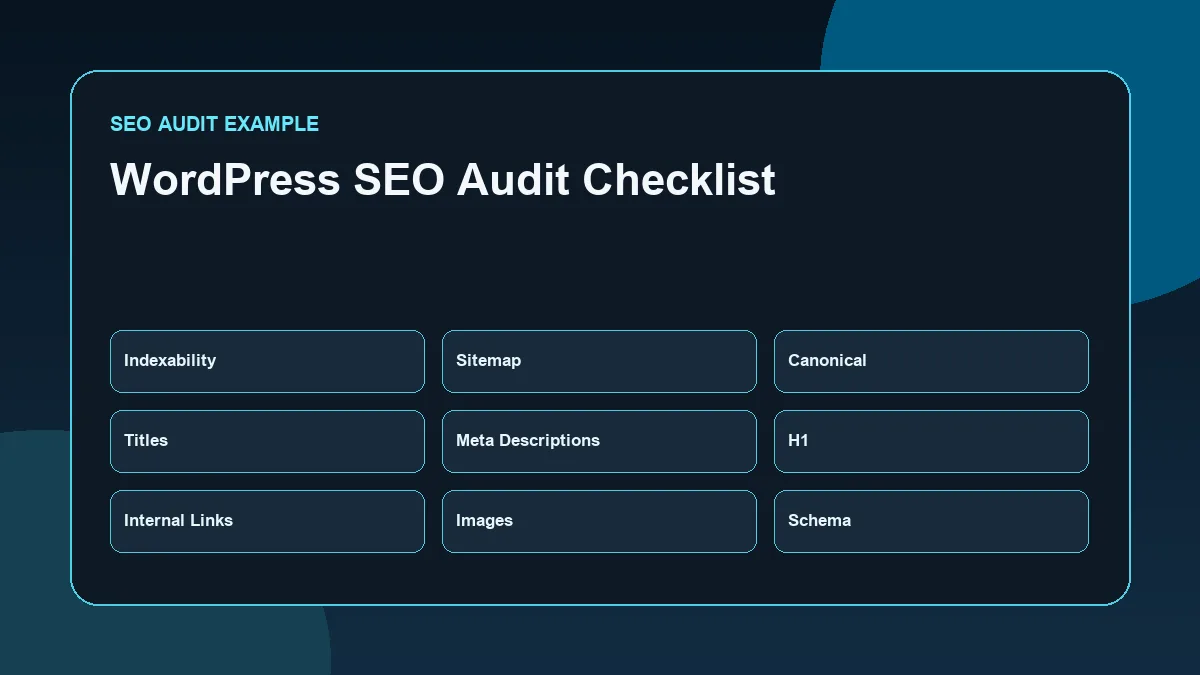
Use this checklist for a structured review.
| Audit Check | Question |
|---|---|
| Indexability | Are important pages indexable? |
| Sitemap | Are key pages included in the XML sitemap? |
| Robots directives | Are important pages accidentally blocked or noindexed? |
| Canonicals | Do important pages have correct canonical URLs? |
| Titles | Are SEO titles unique and relevant? |
| Meta descriptions | Are meta descriptions useful and non-duplicate? |
| H1 | Does each page have one clear H1? |
| Headings | Are H2 and H3 sections logical? |
| Search intent | Does each page satisfy its purpose? |
| Content depth | Is the page useful enough for its topic? |
| Internal links | Are hubs, pillars, clusters, and proof posts connected? |
| Orphan pages | Do important pages receive internal links? |
| Images | Are filenames, formats, sizes, and alt text optimized? |
| Schema | Does structured data match visible content? |
| Mobile usability | Is the page readable and usable on mobile? |
| Speed | Are images and heavy elements controlled? |
| CTA | Is the next step clear and relevant? |
| Forms | Are contact forms working? |
| Tracking readiness | Are important actions ready to be measured? |
| Priority list | Are recommendations sorted by importance? |
This checklist keeps the audit focused on implementation.
Conclusion
An SEO Audit Example is useful when it shows how SEO thinking becomes practical action.
For a WordPress portfolio website, the audit should review indexability, metadata, headings, content structure, internal linking, images, schema, technical signals, mobile usability, page speed, and CTA clarity.
The strongest audit is not the one with the longest issue list. It is the one that identifies what matters, explains why it matters, and gives a safe, prioritized action plan.
For a professional portfolio website, this kind of audit also becomes proof of work. It shows the ability to evaluate a website carefully, connect SEO concepts with implementation, and avoid unsupported claims.
FAQs
What is an SEO audit example?
An SEO audit example shows how a website can be reviewed across key SEO areas such as indexability, titles, headings, content, internal links, images, schema, sitemap, mobile usability, and CTAs.
How do you audit a WordPress website for SEO?
Start by listing important URLs, checking indexability, reviewing titles and meta descriptions, checking heading structure, matching content with search intent, reviewing internal links, optimizing images, checking schema, and testing mobile usability.
What should a portfolio website SEO audit include?
A portfolio website SEO audit should include homepage positioning, hub and pillar structure, blog content, service pages, contact paths, internal links, metadata, images, schema, sitemap, mobile usability, and conversion clarity.
Should an SEO audit include page speed?
Yes. Page speed and mobile usability should be reviewed because they affect user experience. However, technical performance fixes should be safe, tested, and reversible.
Can an SEO audit guarantee ranking improvements?
No. An SEO audit can identify issues and opportunities, but it cannot guarantee rankings, traffic, leads, or conversions. Search performance depends on many factors.
Why are internal links important in an SEO audit?
Internal links help connect related pages, support topical authority, reduce orphan pages, and guide users toward useful next steps.
Related SEO Resources
- SEO for Business Websites
- SEO Guide
- On-Page SEO Checklist
- Technical SEO for WordPress
- Internal Linking Strategy
- Keyword Research Process
Next Step
Explore the SEO Resource Hub for related implementation guides, or review the SEO Guide to understand how technical SEO, content structure, internal linking, and on-page optimization work together.