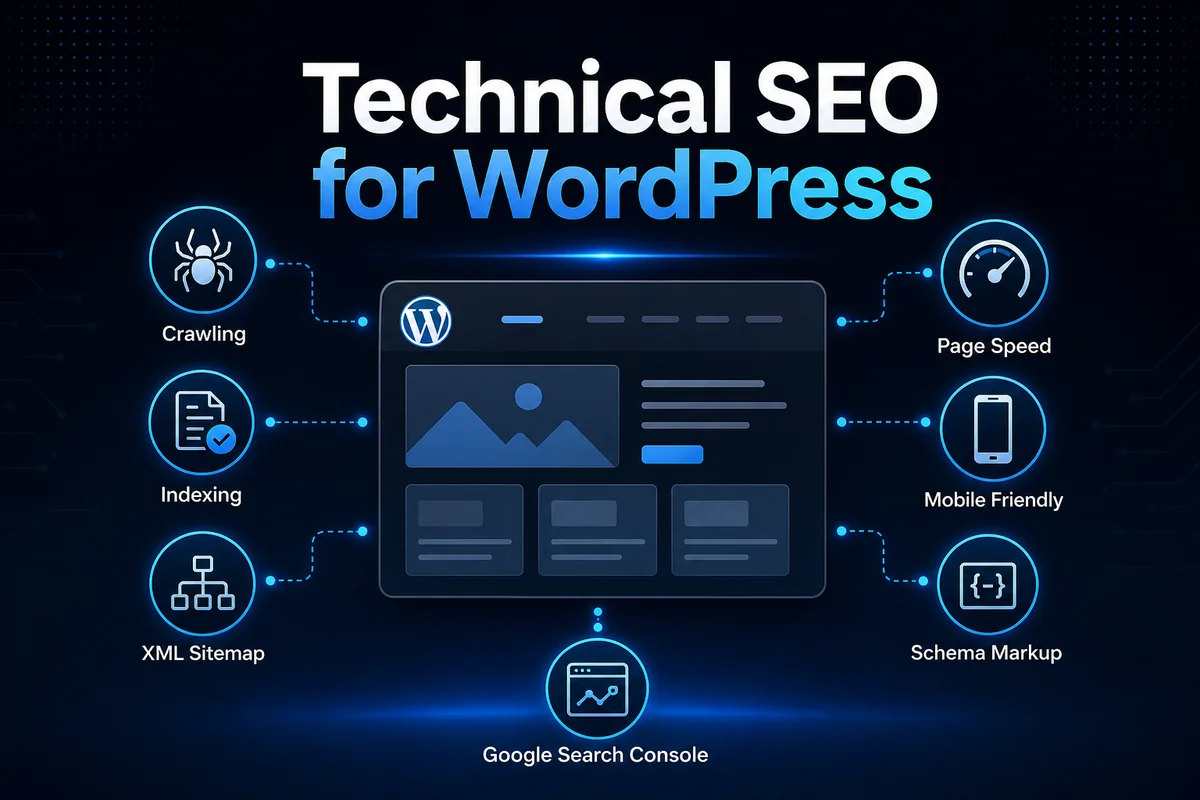
Technical SEO for WordPress is the process of making a WordPress website easier for search engines to crawl, understand, index, and display properly in search results.
A website can have useful content, good design, and strong service pages, but if the technical foundation is weak, search engines may struggle to access the right pages. That is why technical SEO matters before scaling content publishing.
For a business website, technical SEO is not about adding complicated code everywhere. It is about making sure the website is clean, fast, crawlable, mobile-friendly, properly indexed, and structured in a way that supports long-term search visibility.
On this website, the SEO Resource Hub is designed to organize practical SEO topics like technical SEO, on-page SEO, keyword research, internal linking, and WordPress optimization into one connected learning and implementation system.
What is technical SEO for a WordPress website? Technical SEO for a WordPress website is the process of checking whether important pages can be crawled, indexed, rendered and understood correctly. It includes indexability, robots rules, XML sitemaps, canonical URLs, status codes, mobile usability, speed and structured data so useful content is not blocked by technical issues.
Which technical SEO checks should be completed in WordPress?
WordPress technical SEO checks should include indexability, permalink structure, robots.txt, XML sitemap availability, canonical output, redirects, broken URLs, mobile usability, page speed and structured data. These checks confirm that search engines can access and interpret the site properly.
How do crawling, indexing and canonicalization differ?
Crawling is when search engines discover and fetch URLs. Indexing is when eligible content is stored for search results, while canonicalization is the process of selecting the preferred URL when similar or duplicate versions exist.
Which WordPress settings commonly cause indexing problems?
Common WordPress indexing problems come from noindex settings, blocked robots rules, broken sitemap access, duplicate category or tag pages, incorrect canonical URLs and plugin conflicts. These settings should be reviewed before assuming the content itself is the issue.
- Indexability
- Robots
- Sitemap
- Canonical
- Status Codes
- Mobile
- Speed
- Structured Data
This original visual is provided as readable HTML so users and search systems can understand the full process without relying only on an image.
Safe website check: The public XML sitemap and canonical source output can be reviewed without exposing private Google Search Console details.
Related reading and topical path
This article connects to its hub, guide and related supporting articles.
Written by Deepak Ramachandran
Reviewed/updated: June 16, 2026
Table of Contents
- What Is Technical SEO for WordPress?
- Why Technical SEO Matters for WordPress Websites
- How WordPress Technical SEO Works in Practice
- Technical SEO Checklist for WordPress Websites
- Common Technical SEO Mistakes in WordPress
- Practical Example: Technical SEO Workflow for a WordPress Service Website
- Final Technical SEO Checklist
- FAQ Section
What Is Technical SEO for WordPress?
Technical SEO is the part of SEO that focuses on the backend and structural health of a website. For a WordPress website, this includes checking whether important pages can be crawled, indexed, rendered, and understood without unnecessary friction.
For a WordPress website, this includes checking whether:
- Search engines can crawl important pages
- Pages are allowed to be indexed
- The XML sitemap is working
- The website loads quickly
- The site is mobile-friendly
- URLs are clean and readable
- Redirects are handled properly
- Duplicate content signals are controlled
- Schema markup is added where useful
- Google Search Console is connected
- The website does not have unnecessary technical errors
A simple way to understand this is: content tells search engines what a page is about. Technical SEO helps search engines access and process that content properly. Both are important.
If the content is strong but the website is blocked from indexing, the page may not appear in search results. If the page is indexable but slow, broken, or poorly structured, the user experience and search performance can suffer.
Why Technical SEO Matters for WordPress Websites
WordPress is SEO-friendly, but it is not automatically SEO-optimized. A new WordPress website can still have issues like discouraged search engine visibility, unsubmitted sitemaps, thin tag pages getting indexed, slow plugins affecting performance, broken internal links, poor image optimization, multiple URL versions, missing schema, improper redirects, and unclear site structure.
These issues may look small individually, but together they can weaken the search foundation. Technical SEO matters because it helps search engines answer important questions about crawlability, indexing, page importance, speed, mobile usability, duplicate URL signals, and content clarity.
For a service website, portfolio website, or business website, technical SEO supports every other SEO activity. Keyword research, content writing, internal linking, and topical authority work better when the technical base is clean. A clear website internal linking structure also supports crawl paths and shows how related WordPress SEO pages connect.
For a complete SEO structure, this topic connects with the Complete SEO Guide, where the full SEO process can be understood from search intent to publishing and optimization.
How WordPress Technical SEO Works in Practice
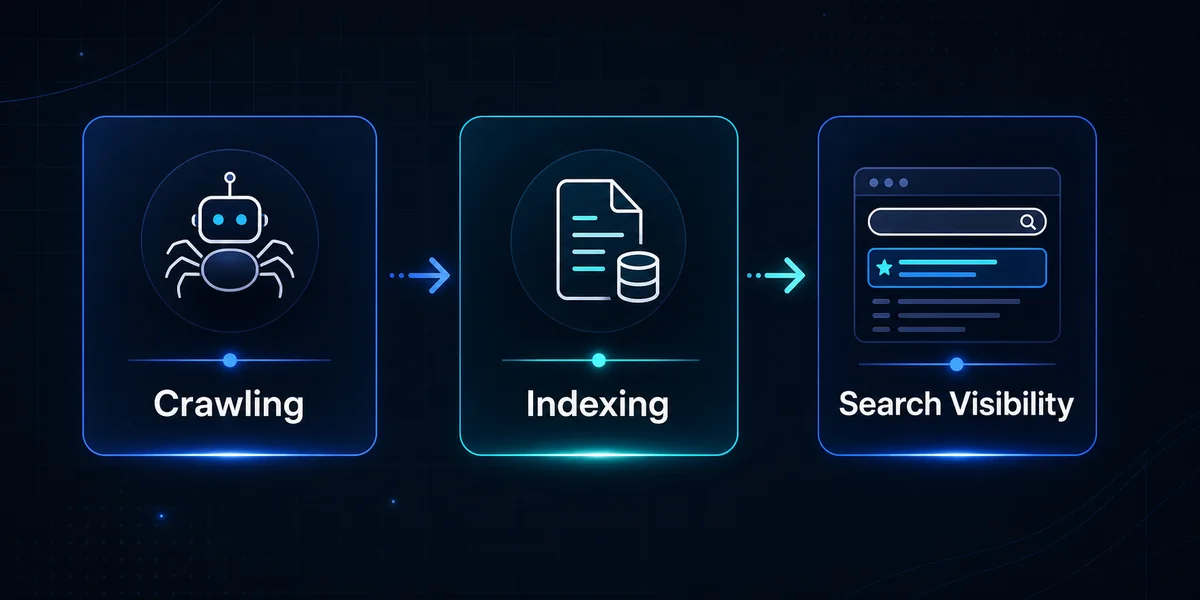
Technical SEO becomes easier when it is understood through three core ideas: crawling, indexing, and page experience.
Crawling
Crawling is the process where search engine bots discover pages on a website. Search engines usually find pages through internal links, XML sitemaps, external backlinks, previously discovered URLs, navigation menus, category pages, and archive pages.
If a page has no internal links, is not included in the sitemap, or is blocked by robots.txt, search engines may not discover it easily. For WordPress websites, crawling issues often happen when important pages are hidden deep inside the site, internal links are weak, or too many unnecessary pages are allowed to be crawled.
A clean crawl structure helps search engines reach the pages that matter most.
Indexing
Indexing happens after crawling. It means the search engine stores and processes the page so it can become eligible to appear in search results. Not every crawled page gets indexed.
A page may not be indexed if it is marked as noindex, has thin content, is duplicated, is blocked, has canonical issues, has low value compared to similar pages, or has technical access problems.
In real SEO workflows, indexing should be monitored using Google Search Console. The goal is not to index every single WordPress URL. The goal is to make sure important pages are indexable and unnecessary pages do not create confusion.
Rendering and page experience
Rendering is how search engines process the final visible page, including layout, scripts, images, and content. For WordPress websites built with page builders, themes, plugins, and visual effects, rendering and page speed can become important.
A heavy design may look good, but if it loads slowly or creates layout shifts, users and search engines may have a weaker experience. This does not mean every website must be plain. It means design, performance, and SEO should work together.
Technical SEO Checklist for WordPress Websites
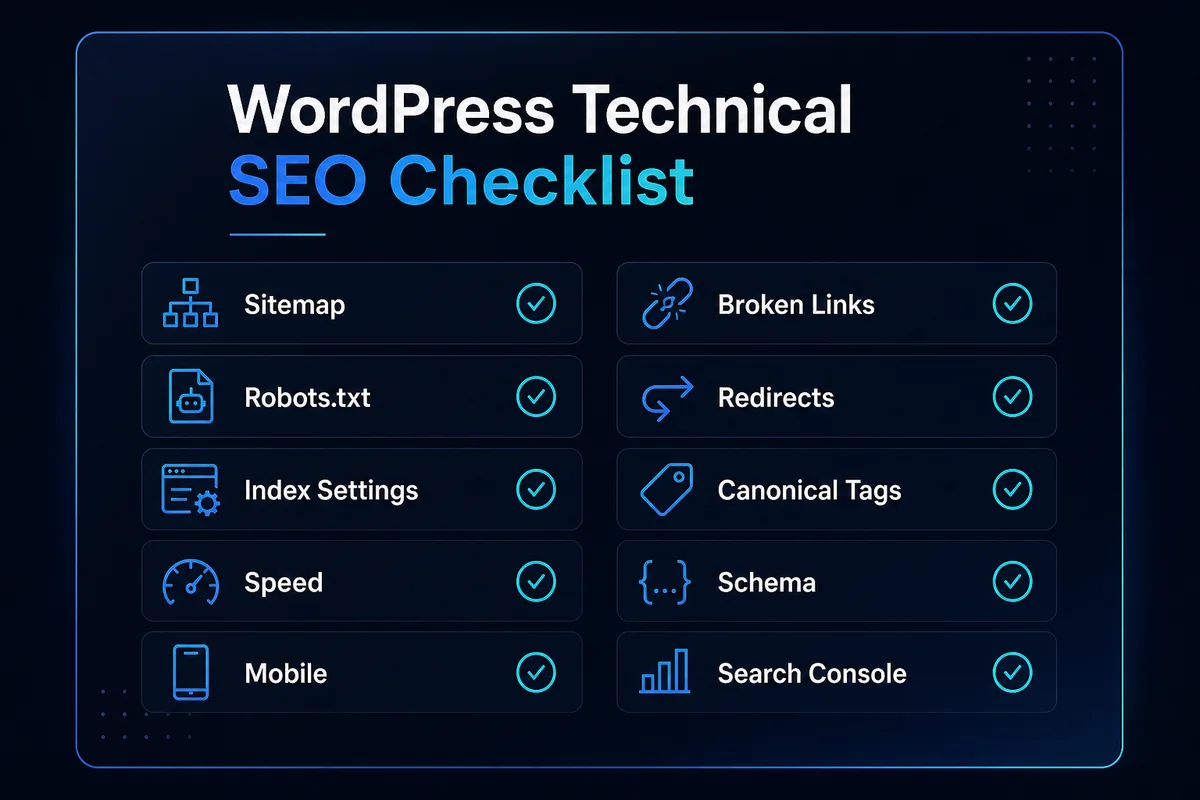
This checklist covers the main technical SEO areas that should be reviewed on a WordPress website.
1. Check WordPress visibility settings
The first technical SEO check is simple but important. In WordPress, go to Settings, then Reading, then Search engine visibility. Make sure the option to discourage search engines from indexing the site is not selected on a live website.
This setting is useful when a website is under development, but if it remains enabled after launch, search engines may be discouraged from indexing the site. This is one of the first checks to include in any basic WordPress SEO audit.
2. Set up a clean XML sitemap
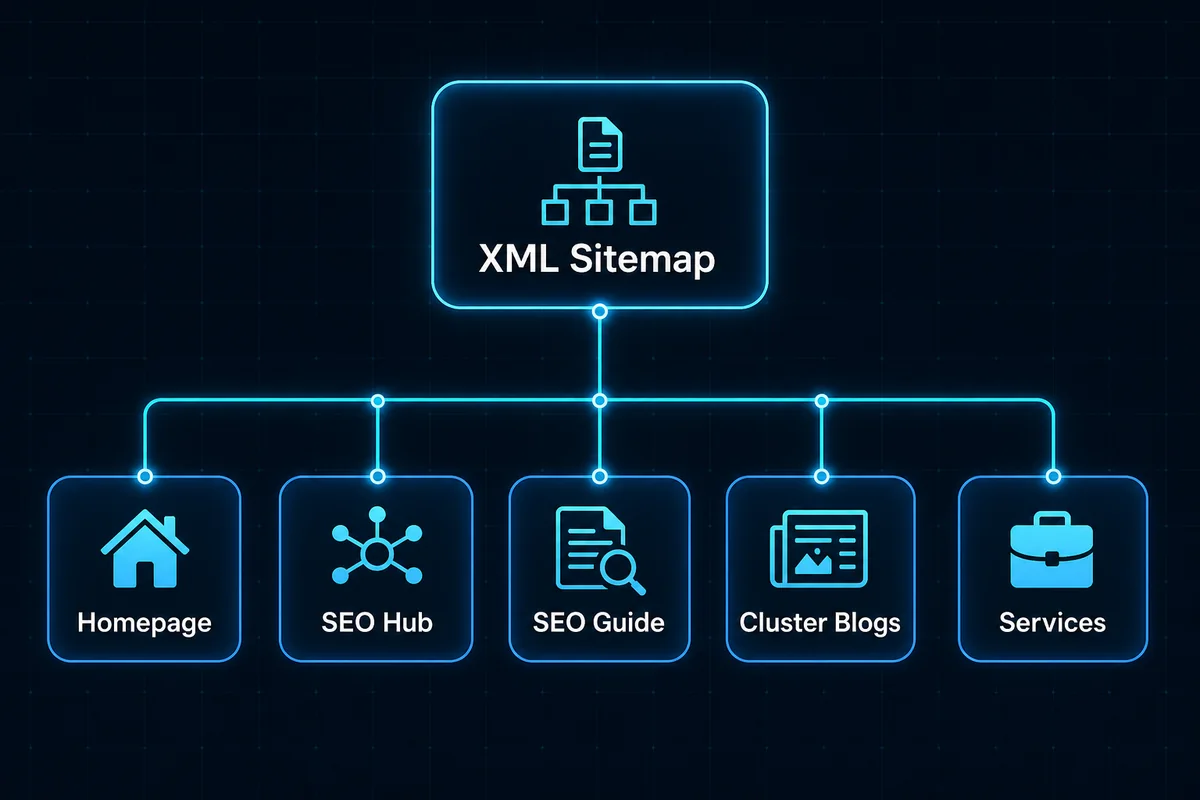
An XML sitemap helps search engines discover important URLs on a website. For WordPress websites, SEO plugins like RankMath can generate XML sitemaps automatically. But simply having a sitemap is not enough. The sitemap should be clean.
A good WordPress sitemap should include important pages, blog posts, core service pages, hub pages, pillar pages, and useful category pages if needed.
It should avoid unnecessary URLs like thin tag pages, low-value archives, duplicate pages, internal search result pages, test pages, thank-you pages, private pages, or utility pages.
The sitemap should be submitted in Google Search Console so Google can discover the important URLs more efficiently. Google’s official sitemap documentation explains how sitemaps help search engines understand which pages and files are important on a site.
3. Review robots.txt and index rules
The robots.txt file gives crawl instructions to search engines. For most small WordPress websites, robots.txt does not need heavy editing. The main goal is to avoid blocking important pages, CSS files, JavaScript files, images, or important content sections.
Apart from robots.txt, index rules should also be checked inside the SEO plugin. In RankMath or similar SEO plugins, review whether important pages are set to index and follow. Avoid accidentally setting important service pages, hub pages, or blog posts to noindex.
At the same time, some low-value pages may be better kept out of search results depending on the website structure. Examples include internal search pages, thin tag archives, admin-related pages, duplicate archive pages, and utility pages.
4. Use SEO-friendly URL structure
Clean URLs help both users and search engines understand page topics. A good WordPress URL should be short, readable, lowercase, hyphen-separated, relevant to the page topic, and free from random numbers or unnecessary words.
Example of a clean URL: /technical-seo-for-wordpress/. Example of a weak URL: /post?id=124-technical-basic-new-final/.
For blog posts, the permalink should usually include the primary keyword naturally without making the URL too long. For service pages, the URL should clearly describe the service. For hub pages, the URL should reflect the content category.
A clean URL structure also supports internal linking and topical authority because related pages become easier to organize through hub, pillar, and cluster content.
5. Improve WordPress website speed
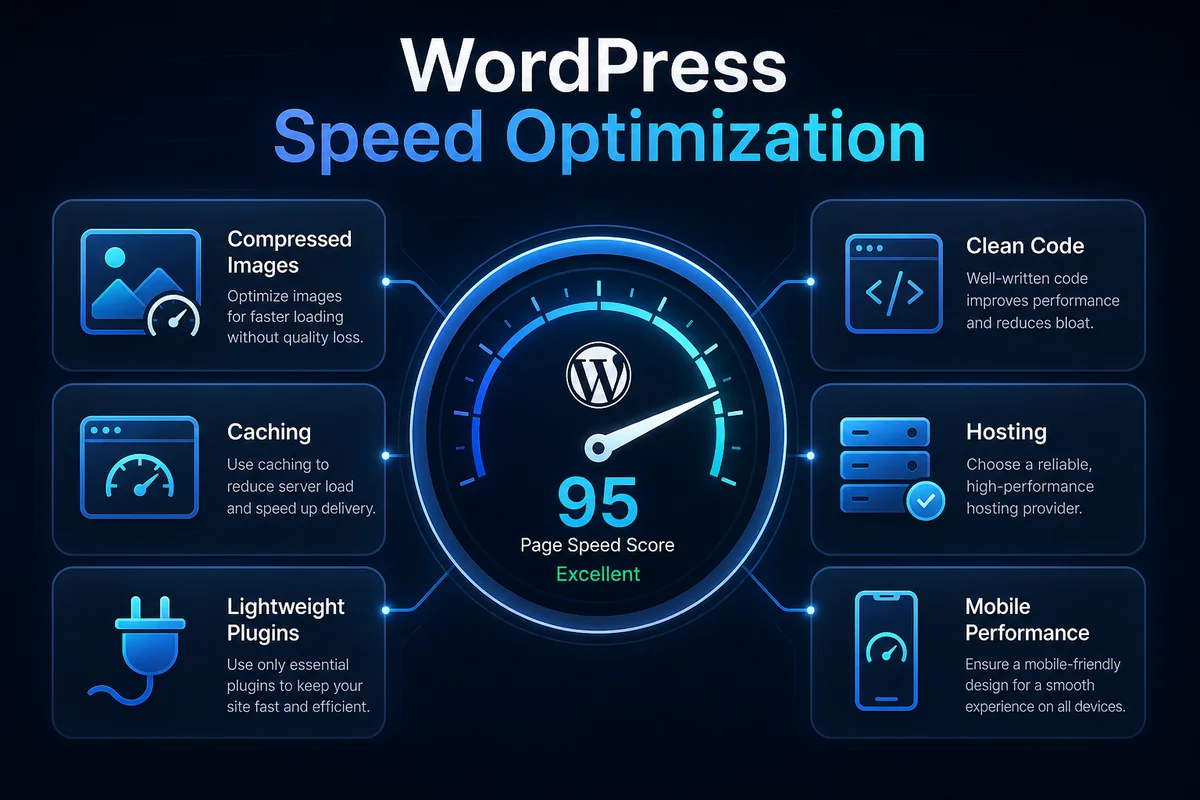
Website speed is a major part of technical SEO because users expect pages to load quickly. WordPress speed can be affected by heavy themes, too many plugins, large images, unoptimized videos, external scripts, poor hosting, unused CSS and JavaScript, page builder bloat, no caching setup, and no image compression.
A practical WordPress speed workflow includes compressing images before upload, using WebP format where possible, removing unused plugins, using a lightweight theme, enabling caching, optimizing CSS and JavaScript carefully, avoiding unnecessary animations, using good hosting, and testing pages after every major design change.
For websites built with Elementor, speed should be checked carefully because sections, containers, images, icons, animations, and scripts can add weight. The aim is not to remove design quality. The aim is to keep the website visually premium while avoiding unnecessary performance problems.
6. Make the website mobile-friendly
Most users browse websites on mobile devices. A WordPress website should work smoothly across screen sizes.
Mobile technical SEO checks include readable font size, proper spacing, no horizontal scrolling, buttons that are easy to tap, images scaling correctly, menus working properly, forms that are easy to complete, no overlapping elements, fast mobile loading, and clear content hierarchy.
A page that looks good on desktop can still perform poorly on mobile if spacing, buttons, or content blocks are not tested. For business websites, mobile experience directly affects leads. If the contact form is difficult to use or the page loads slowly, users may leave before converting.
7. Fix broken links and redirects
Broken links create poor user experience and waste crawl signals. Common broken link issues include deleted blog posts, changed URLs, old menu links, incorrect internal links, broken image URLs, external links pointing to removed pages, and redirect chains.
When a URL changes, a proper 301 redirect should be added from the old URL to the new relevant URL. Avoid redirect chains like Page A to Page B to Page C. A cleaner redirect is Page A directly to Page C.
Broken internal links should be fixed because they affect both users and crawl flow. Internal links are also important for building topical authority, especially when a website uses planned internal linking strategy across hub, pillar, and cluster pages.
8. Use canonical tags correctly
Canonical tags help search engines understand the preferred version of a page when similar or duplicate URLs exist. WordPress can create multiple URL paths through categories, tags, archives, pagination, and parameters. Without clear canonical signals, search engines may see similar content across different URLs.
SEO plugins usually handle canonical tags automatically, but important pages should still be checked. Canonical issues may happen when multiple versions of a page exist, HTTP and HTTPS versions conflict, WWW and non-WWW versions conflict, duplicate category paths are indexed, tracking parameters create duplicate URLs, or content is republished across multiple URLs.
For most WordPress websites, the canonical tag should point to the main clean URL of the page.
9. Add structured data where relevant
Structured data helps search engines understand page information in a clearer format. For WordPress websites, common schema types include Article Schema, BlogPosting Schema, FAQ Schema, Breadcrumb Schema, Organization Schema, LocalBusiness Schema, Person Schema, and Service Schema where appropriate.
RankMath can help add schema markup without writing custom code for every page. For blog posts, Article Schema and FAQ Schema are usually useful. For service pages, Service Schema may be considered. For portfolio positioning, Person Schema and Organization-related markup may also support entity clarity when used properly.
Schema should describe what is actually visible on the page. It should not be used to add fake ratings, fake reviews, or information that users cannot see. Google’s structured data documentation explains that structured data gives explicit clues about the meaning of a page.
10. Connect Google Search Console
Google Search Console is essential for monitoring technical SEO performance. It helps track indexing status, sitemap submission, crawl issues, search queries, clicks and impressions, page experience issues, manual actions, URL inspection, mobile usability issues, and performance trends.
For a new WordPress website, Search Console should be connected early. It helps identify whether important pages are being discovered and indexed. After publishing new blogs, the URL Inspection tool can be used to check whether Google can access the page.
Technical SEO should not be a one-time setup. It should be reviewed regularly as new pages, blogs, plugins, and design changes are added.
Common Technical SEO Mistakes in WordPress
Many WordPress technical SEO problems come from small setup mistakes. Here are common issues to avoid:
- Keeping search engine visibility disabled after launch
- Publishing pages without checking index settings
- Allowing thin tag archives to get indexed
- Uploading large uncompressed images
- Using too many plugins
- Ignoring mobile layout issues
- Changing URLs without redirects
- Deleting pages without checking internal links
- Using multiple SEO plugins together
- Not submitting the sitemap
- Not connecting Google Search Console
- Adding schema that does not match visible page content
- Creating duplicate pages for similar keywords
- Ignoring Core Web Vitals completely
The biggest mistake is treating technical SEO as something separate from content. In reality, technical SEO supports content visibility. A blog post may be well-written, but if it is slow, orphaned, not included in the sitemap, or poorly linked, it may struggle to perform.
Technical SEO also connects with on-page SEO because pages need both strong visible content and a clean technical foundation.
Practical Example: Technical SEO Workflow for a WordPress Service Website
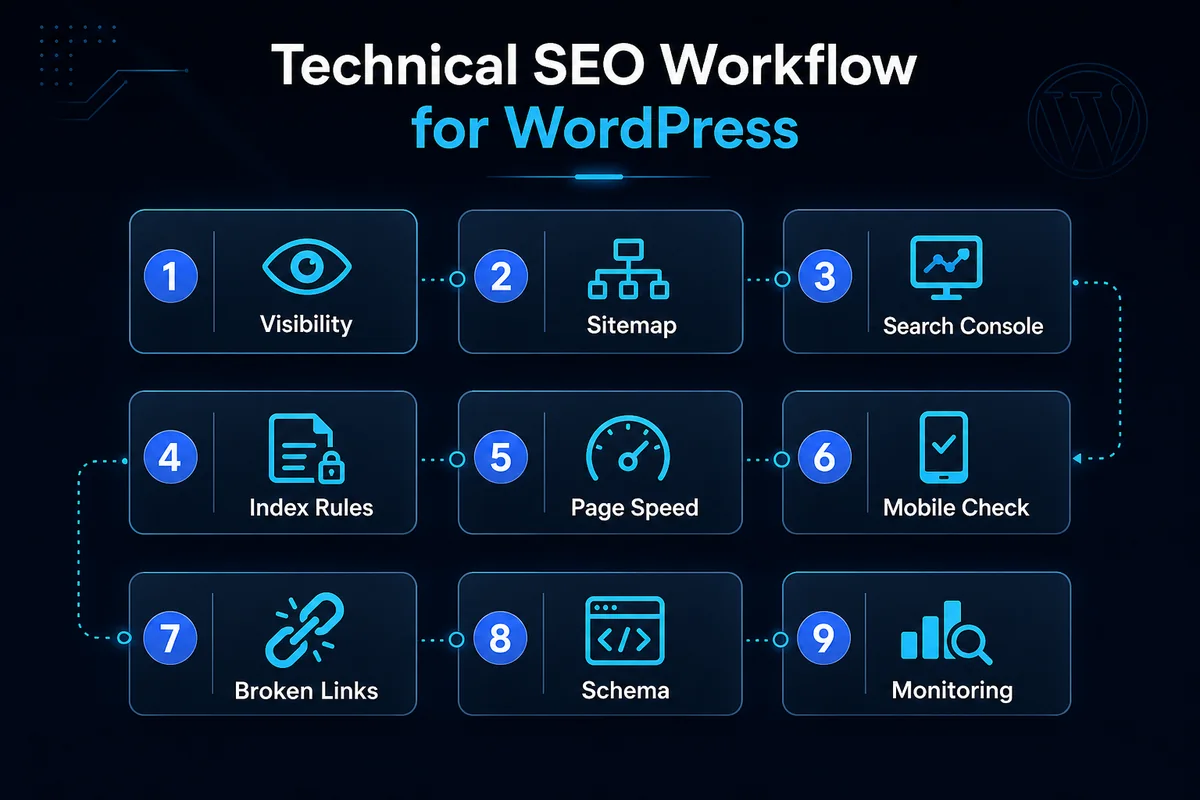
Here is a simple technical SEO workflow for a WordPress service website:
- Check visibility settings and confirm that search engines are not discouraged from indexing the website.
- Review the sitemap and check whether important pages and posts are included.
- Submit the sitemap in Google Search Console and check for sitemap errors.
- Inspect important URLs such as the homepage, service pages, hub pages, and pillar pages.
- Check index settings and make sure important pages are set to index and follow.
- Review URL structure and confirm that URLs are short, readable, and keyword-relevant.
- Test page speed for load time, image weight, and unnecessary scripts.
- Review mobile layout for readability, buttons, menus, spacing, and forms.
- Fix broken links after publishing or changing URLs.
- Add relevant schema such as Article, FAQ, Breadcrumb, Person, Organization, or Service Schema where suitable.
- Monitor after changes using Google Search Console to track indexing, impressions, and crawl issues.
This workflow is simple, but it covers the technical foundation needed before scaling SEO content. It can also support a practical SEO audit workflow without turning the process into unnecessary complexity.
Final Technical SEO Checklist
Before publishing or auditing a WordPress website, use this checklist:
- Search engine visibility is enabled
- Important pages are indexable
- XML sitemap is active
- Sitemap is submitted in Google Search Console
- Robots.txt is not blocking important resources
- URLs are clean and readable
- HTTPS is active
- WWW or non-WWW version is consistent
- Pages are mobile-friendly
- Images are compressed
- WebP format is used where possible
- Unused plugins are removed
- Page speed is tested
- Broken links are fixed
- Redirects are clean
- Canonical tags are correct
- Schema markup is relevant
- Internal links connect related pages
- Important pages are not orphaned
- Google Search Console is connected
- Technical issues are reviewed regularly
Technical SEO does not need to be overcomplicated. The real goal is to remove technical friction between the website, users, and search engines.
A technical SEO audit example shows how crawl access, indexability, canonicals, sitemap signals and schema can be reviewed together.
Conclusion
Technical SEO for WordPress is the foundation that helps content, internal links, service pages, and blog posts perform better in search.
A technically clean WordPress website is easier to crawl, easier to index, faster for users, and clearer for search engines to understand. This makes every other SEO activity stronger.
For a business website, the priority should be simple: keep important pages crawlable, keep valuable pages indexable, keep URLs clean, keep pages fast, keep the mobile experience smooth, keep internal links structured, keep Search Console connected, and keep technical SEO checks part of the publishing workflow.
Technical SEO is not just a backend task. It is part of a complete SEO system that connects website structure, content quality, user experience, and search visibility.
FAQ Section
What is Technical SEO for WordPress?
Technical SEO for WordPress means optimizing the technical structure of a WordPress website so search engines can crawl, index, understand, and display important pages properly in search results.
Is WordPress good for technical SEO?
Yes, WordPress can be strong for SEO when it is configured properly. However, technical SEO still needs attention because themes, plugins, page builders, images, and settings can create crawl, speed, indexing, or structure issues.
Which plugin is useful for WordPress technical SEO?
Plugins like RankMath can help manage sitemaps, meta tags, canonical tags, schema markup, robots meta settings, and other SEO basics. But plugins should support the workflow, not replace proper SEO thinking.
How often should technical SEO be checked?
A basic technical SEO review should be done after major website changes, URL changes, plugin updates, redesigns, or new content publishing. For active websites, a monthly or quarterly technical check is useful.
What is the most important technical SEO check for a new WordPress website?
The first checks should include search engine visibility settings, sitemap setup, Google Search Console connection, index settings, URL structure, mobile usability, and page speed.
CTA Section
If you are building a WordPress website for SEO, technical setup should not be ignored after publishing. A clean technical foundation makes every SEO effort stronger, from blog publishing to internal linking and service page optimization.
Explore the SEO Resource Hub for more practical SEO guides, workflows, and implementation-focused content built around WordPress SEO, search visibility, and topical authority. You can also explore the main portfolio at deepakramachandran.com.