A strong website is not built only by publishing more pages. It is built by connecting those pages in a way that helps users, search engines, and business goals move in the same direction.
That is where an internal linking strategy becomes important.
Internal links connect one page of a website to another page on the same website. They may look simple, but they influence how search engines discover content, how users move through the website, and how topic relationships become clear.
Internal linking strategy is the process of connecting related pages on the same website so users and search engines can understand content relationships. It uses contextual links, descriptive anchor text, hub pages, pillar pages, cluster articles and proof content to improve crawl paths, topical authority, user navigation and conversion journeys without adding random or excessive links.
For a business website, internal linking is not just a technical SEO task. It is part of content strategy, website architecture, user experience, and conversion planning.
When internal links are planned properly, they help a website show which pages are most important, which topics are connected, and which content supports the main service or knowledge areas.
What Is Internal Linking in SEO?
Internal linking means linking from one page on a website to another page on the same website.
For example, a blog post about keyword research can link to an SEO guide, an on-page SEO checklist, or a related article about technical SEO. These links help readers move to the next useful page instead of reaching the end of one article and leaving the site.
Internal links can appear in:
- Navigation menus
- Footer links
- Breadcrumbs
- Blog content
- Related article sections
- CTA sections
- Hub pages
- Pillar pages
- Service pages
- Image links
- Button links
From an SEO perspective, the most useful internal links are usually contextual links. These are links placed naturally inside the main content where the surrounding text explains why the target page is relevant.
A good internal link does not exist only because another page needs a link. It exists because the next page genuinely helps the reader continue their journey.
Why Internal Linking Strategy Matters
Internal links help organize a website into a connected system. Without them, even well-written pages can become isolated.
A website may have useful blog posts, service pages, and guides, but if those pages are not connected properly, search engines and users may not clearly understand how the content fits together.
It Helps Search Engines Discover Important Pages
Search engines use links to discover and understand pages. If an important page has very few internal links pointing to it, that page may be harder to discover or may appear less central within the website structure.
A practical internal linking strategy makes sure important pages are not buried.
For example, a website’s SEO Resource Hub should link to the SEO Guide and relevant SEO cluster blogs. Those cluster blogs should also link back to the hub and pillar page where appropriate.
This creates a clear path:
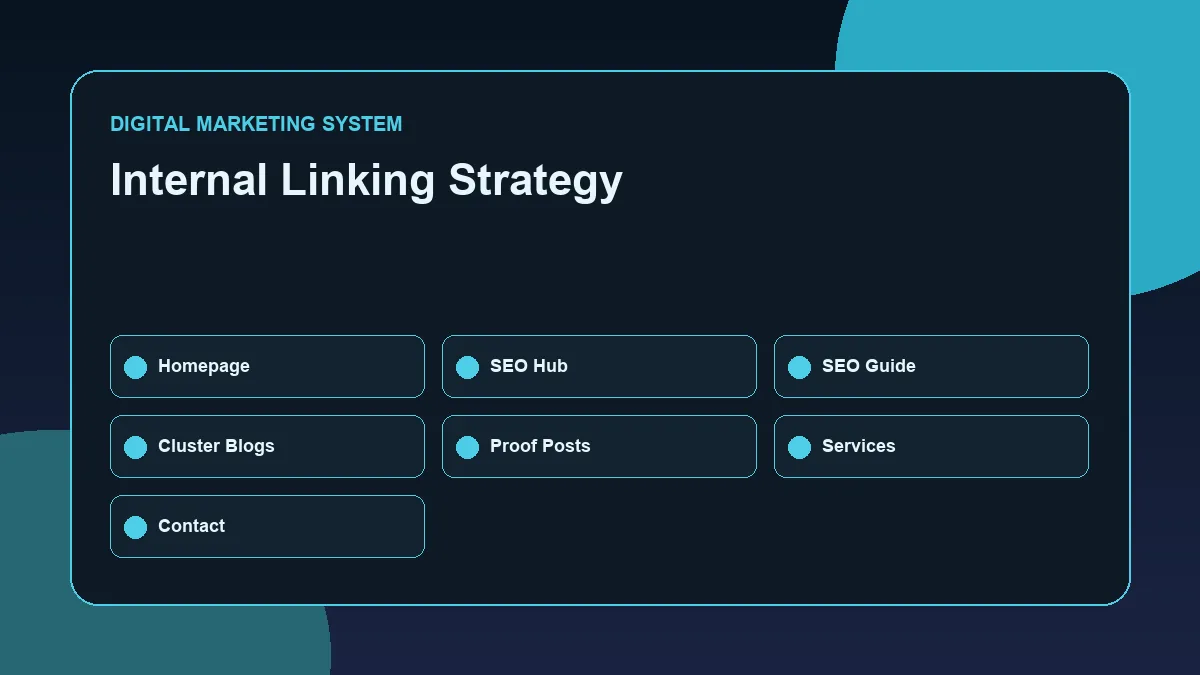
Homepage → SEO Resource Hub → SEO Guide → SEO Cluster Blogs → Related SEO Proof Posts
That structure helps the website communicate topic depth.
It Builds Topical Relationships
Topical authority depends on more than publishing content around one subject. The content also needs to be connected logically.
If a website has articles about keyword research, on-page SEO, technical SEO, and internal linking, those pages should not stand separately. They should support one another.
Internal links help show that these pages belong to the same broader SEO topic.
For example, a blog about keyword research can link to an on-page SEO checklist because keyword planning affects title tags, headings, URLs, and content structure. A technical SEO article can link to an internal linking article because crawlability and link structure are connected.
These connections help create a stronger SEO cluster.
It Improves User Navigation
Internal links also improve user experience.
A reader may arrive on a blog post with one question but need a related answer next. If the article provides relevant internal links, the reader can continue learning without going back to Google.
This matters because SEO should not only bring traffic. It should help visitors find useful information, understand the business, and move toward a meaningful action.
A well-linked website reduces dead ends.
It Supports Conversion Paths
Internal linking also supports conversions.
For example, a reader may first land on an educational SEO blog. After reading, they may want to explore the SEO Resource Hub, review the SEO Guide, check the Services page, or use the Contact page.
This path should feel natural, not forced.
A blog should not push a sales message too early. But when commercial intent is relevant, internal links can guide the reader toward the next practical step.
How Authority Flows Through a Website
Internal links help distribute importance across a website.
In a simple structure, the homepage often receives the most visibility and links. From there, important sections such as resource hubs, pillar pages, and service pages should be easy to reach.
A clean SEO structure may look like this:
| Website Area | Role | Internal Linking Purpose |
|---|---|---|
| Homepage | Main identity and positioning | Points users to key service and resource areas |
| Resource Hub | Topic category page | Organizes related guides and blogs |
| Pillar Page | Main guide for a broad topic | Explains the core subject and links to clusters |
| Cluster Blog | Specific supporting article | Answers focused search intent and links back to pillar |
| Proof Post | Implementation or case-study-style content | Demonstrates practical application |
The goal is not to link every page to every other page. The goal is to create meaningful connections.
A page about internal linking should link to SEO architecture topics, not unrelated social media posts. A performance marketing article may link to SEO only when the connection is useful, such as landing page optimization or search intent.
Relevance matters more than quantity.
Hub, Pillar, Cluster, and Proof Page Linking
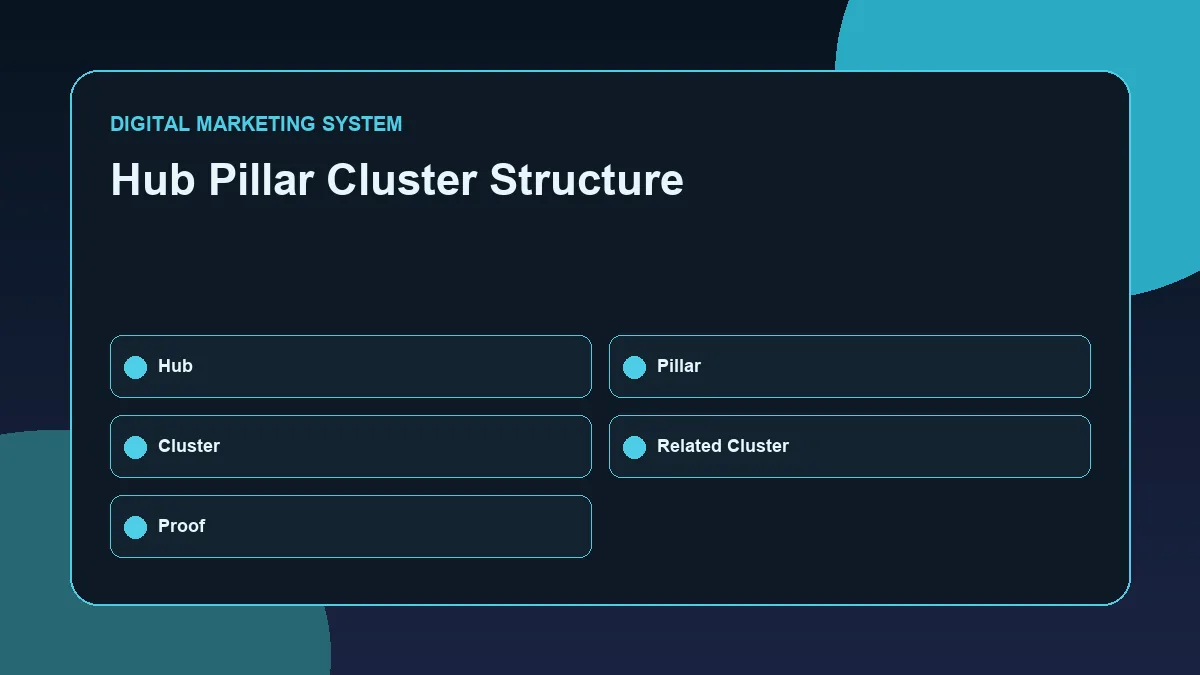
This visual shows how the hub, pillar, cluster and proof layers connect inside an SEO content system.
A practical internal linking strategy works best when each page type has a clear role.
Hub Pages
A hub page organizes a broad topic area.
For example, the SEO Resource Hub should act as the central location for SEO-related content. It should link to the SEO Guide, key SEO cluster articles, and selected proof posts when they are published.
The hub page should not be overloaded with every minor link. It should help users understand the SEO section of the website clearly.
Pillar Pages
A pillar page explains a broad topic in depth.
The SEO Guide should link to important supporting blogs such as on-page SEO, keyword research, technical SEO, and internal linking. These links help readers go deeper into specific areas.
The pillar page also helps search engines understand that these cluster articles belong under one broader SEO topic.
Cluster Blogs
Cluster blogs answer specific search queries.
This article is a cluster blog because it focuses on one specific SEO skill: internal linking strategy.
A cluster blog should usually link back to:
- The relevant hub page
- The relevant pillar page
- Related cluster articles
- A service or contact page only when contextually useful
For example, this blog can link to the SEO Resource Hub, the SEO Guide, the on-page SEO checklist, the keyword research process article, and the technical SEO for WordPress article.
Proof or Case Study Posts
Proof posts show implementation.
A future article about how SEO hubs, pillars, and internal links were structured on this website can link back to this internal linking strategy article. That creates a useful relationship between concept and execution.
The concept article explains the system. The proof article shows how the system was applied.
That is a strong portfolio structure.
Contextual Anchor Text: How to Link Naturally
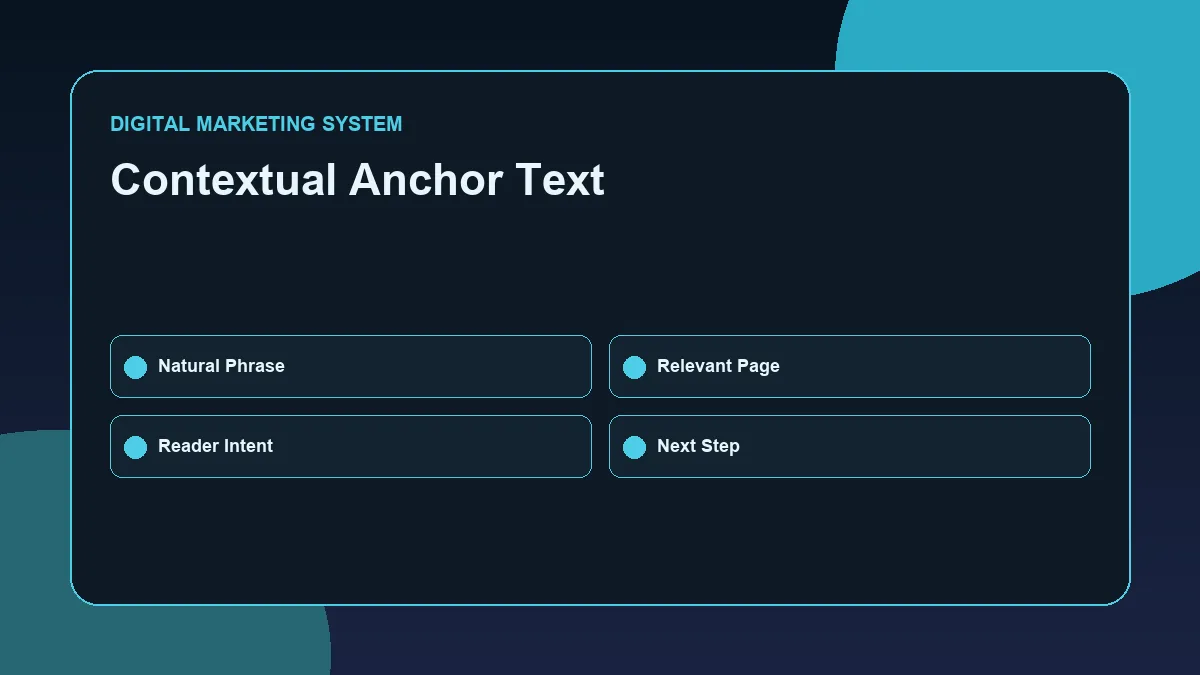
The comparison shows why descriptive anchor text is more useful than generic phrases such as click here or read more.
Anchor text is the clickable text used for a link.
For example, in the phrase “review the SEO Guide for a broader search visibility framework,” the anchor text could be “SEO Guide.”
Good anchor text should describe the target page clearly. Google's link best practices also explain that crawlable links and clear anchor text help search engines discover pages and understand relevance. It should help the reader understand what they will find after clicking.
Strong internal anchor examples:
- SEO Resource Hub
- SEO Guide
- on-page SEO checklist
- keyword research process
- technical SEO for WordPress
- internal linking strategy
- WordPress SEO implementation
Weak anchor examples:
- Click here
- Read more
- Visit this page
- Learn more
- This link
The anchor text should be natural. It should not repeat the exact same keyword every time.
For example, instead of always using “Internal Linking Strategy,” a website can also use:
- internal links for SEO
- website link structure
- internal linking workflow
- linking related SEO pages
- content architecture for SEO
This creates a more natural reading experience.
Orphan Pages and Why They Hurt SEO Structure
An orphan page is a page that has no meaningful internal links pointing to it.
The page may exist on the website, but users and search engines may struggle to find it through normal navigation.
Orphan pages are common when blogs are published quickly without a linking plan.
For example, if a business publishes ten blog posts but does not add them to hub pages, pillar pages, related blog sections, or contextual links, those posts may remain disconnected.
This creates three problems:
- The page may be harder to discover.
- The page may receive less internal authority.
- The page may not support the larger topical structure.
A basic internal linking review should always check whether important pages are orphaned or weakly connected.
Where to Place Internal Links in a Blog Post
Internal links should be placed where they help the reader.
Useful placements include:
- Early in the article when a broader guide is relevant
- Inside explanatory sections where related concepts appear
- In checklist sections where supporting resources help
- In conclusion sections where the reader needs a next step
- In related resources blocks after the main content
- In CTA sections when commercial relevance exists
Avoid adding too many links in the introduction. The reader should first understand the topic before being sent elsewhere.
Also avoid adding large blocks of unrelated links at the end of every post. A small number of relevant links is usually stronger than a long list of weak links.
Practical Internal Linking Workflow for Business Websites
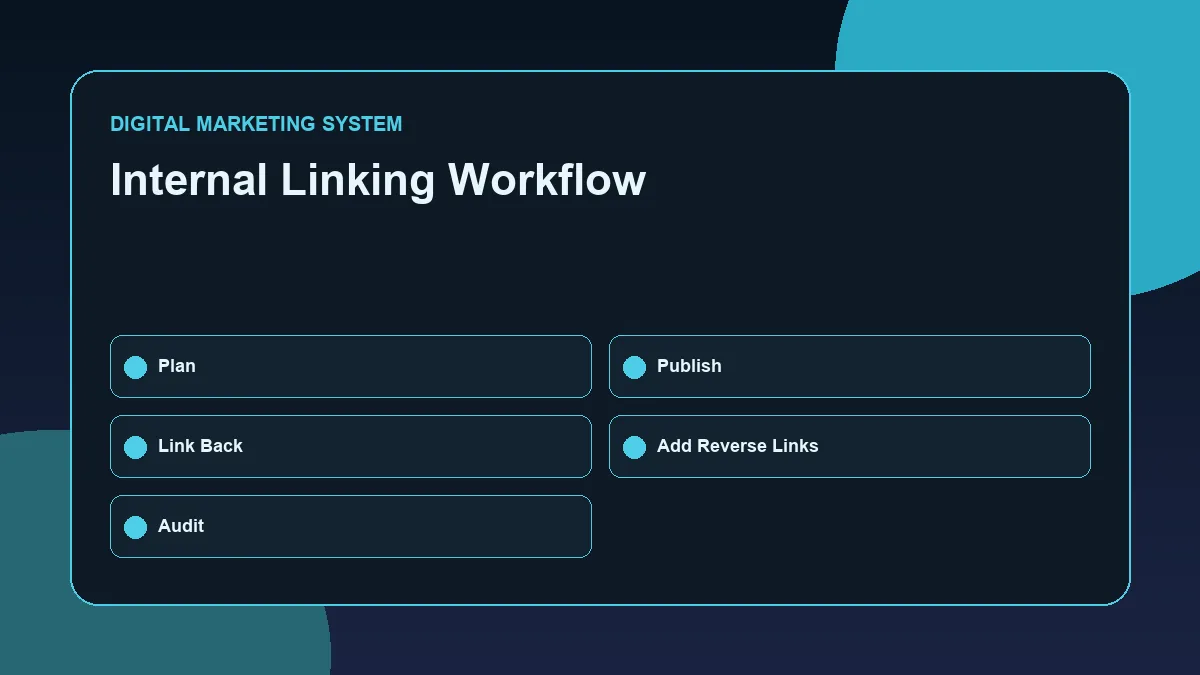
The workflow keeps internal linking practical by moving from page inventory to topic grouping, hub links, cluster links and post-publishing review.
A practical internal linking workflow can be broken into seven steps.
Step 1: List the Important Pages
Start with the main pages of the website:
- Homepage
- Service pages
- Resource hubs
- Pillar guides
- Published blogs
- Contact page
- Proof or case-study posts
This gives a clear view of the website structure.
Step 2: Group Pages by Topic
Next, group related pages together.
For example, an SEO group may include:
- SEO Resource Hub
- SEO Guide
- SEO for Business Websites
- On-Page SEO Checklist
- Keyword Research Process
- Technical SEO for WordPress
- Internal Linking Strategy
This helps avoid random linking.
Step 3: Identify the Main Page for Each Topic
Each topic group should have a main page.
For SEO, the main supporting pages are the SEO Resource Hub and the SEO Guide. Cluster articles should usually support these pages.
This prevents the blog archive from becoming a disconnected collection of articles.
Step 4: Add Links from Hub to Pillar and Clusters
The hub page should link to the pillar page and the most important cluster articles.
This helps users enter a topic area and choose the next useful resource.
Step 5: Add Links from Cluster Blogs Back to the Pillar
Each cluster blog should link back to the pillar page where relevant.
For example, this article should link to the SEO Guide because internal linking is one part of a complete SEO system.
Step 6: Add Links Between Related Cluster Articles
Related blogs should connect to each other where the relationship is clear.
For example:
- Keyword research connects to on-page SEO.
- On-page SEO connects to internal linking.
- Technical SEO connects to crawlability and link structure.
- SEO for business websites connects to all major SEO implementation topics.
These connections create depth.
Step 7: Review and Update Links After Publishing
Internal linking is not a one-time task.
Every time a new article is published, older related posts should be updated to link to it. This reverse linking step is often missed, but it is important.
A new blog should receive links from older relevant blogs, not only link out to them.
Internal Linking Checklist
Use this checklist before publishing a new blog post.
| Checkpoint | Question |
|---|---|
| Hub link | Does the article link to the correct resource hub? |
| Pillar link | Does the article link to the correct pillar guide? |
| Related blogs | Does it link to two to four relevant cluster articles? |
| Anchor text | Are anchor phrases descriptive and natural? |
| Relevance | Does every link help the reader? |
| Placement | Are links placed inside useful context? |
| Orphan prevention | Will this new post receive links from older posts? |
| CTA path | Is there a clear next step after reading? |
| Overlinking | Are unnecessary links removed? |
| Mobile readability | Are link sections easy to scan on mobile? |
This checklist keeps internal linking practical and controlled.
Common Internal Linking Mistakes
Internal linking becomes weak when it is done mechanically.
One common mistake is linking only from new articles to old articles. Older articles should also be updated to link to new relevant content.
Another mistake is using generic anchor text. “Click here” does not tell users or search engines what the linked page is about.
A third mistake is linking to unrelated pages just to increase link count. Internal links should support topic clarity, not create confusion.
Other common mistakes include:
- Adding too many links in one paragraph
- Linking repeatedly to the same page with the same anchor text
- Ignoring important service or pillar pages
- Publishing blogs without adding them to hub pages
- Leaving old posts disconnected from newer content
- Linking to pages that are not indexable
- Using buttons where a contextual text link would be more helpful
- Forgetting to test links after publishing
A strong internal linking strategy is not about adding more links everywhere. It is about adding the right links in the right places.
Tools and Measurement Considerations
Internal linking can be reviewed manually or with SEO tools.
For a WordPress website, useful checks include:
- Reviewing posts inside WordPress or Elementor
- Checking RankMath internal link suggestions carefully
- Reviewing the XML sitemap
- Checking whether important pages are indexable
- Using Google Search Console to inspect important URLs
- Testing links after publishing
- Reviewing pages with low internal link support
- Creating a simple spreadsheet of hub, pillar, cluster, and proof links
The goal is not to depend completely on a tool. Tools can identify opportunities, but the final decision should be based on relevance, reader value, and website structure.
A simple internal linking sheet can include:
| Page | Page Type | Links To | Should Receive Links From |
|---|---|---|---|
| SEO Resource Hub | Hub | SEO Guide, SEO blogs | Homepage, SEO blogs |
| SEO Guide | Pillar | SEO clusters | SEO hub, SEO blogs |
| Internal Linking Strategy | Cluster | SEO hub, SEO guide, related blogs | On-page SEO, technical SEO, keyword research |
| SEO Audit Example | Proof | SEO guide, related clusters | SEO hub, internal linking article |
This kind of documentation shows whether the website is becoming a connected content system.
An SEO audit example for internal linking review shows how hub, pillar, cluster and proof pages can be evaluated for isolation or weak connections.
Conclusion
Internal linking is one of the most practical ways to improve website structure, topical authority, and user navigation.
A good internal linking strategy connects the homepage, resource hubs, pillar pages, cluster blogs, and proof posts into a clear system. It helps search engines discover content, helps users move through related topics, and helps important pages receive stronger internal support.
The best approach is simple: link pages when the relationship is useful, use descriptive anchor text, avoid orphan pages, update older posts after publishing new ones, and keep every link connected to a clear reader journey.
For a business website, internal linking should never be treated as a small finishing task. It should be part of the content planning process from the beginning.
FAQs
What is internal linking in SEO?
Internal linking is the process of linking one page of a website to another page on the same website. It helps users navigate related content and helps search engines understand how pages are connected.
Why is internal linking important for topical authority?
Internal linking helps connect related pages under a clear topic structure. When hub pages, pillar pages, and cluster blogs link to each other naturally, the website communicates stronger subject relevance.
How many internal links should a blog post have?
There is no fixed number. A blog post should include enough internal links to help the reader continue their journey, but not so many that the page feels cluttered. Relevance matters more than quantity.
What is an orphan page?
An orphan page is a page that has no meaningful internal links pointing to it. These pages may be harder for users and search engines to discover through the normal website structure.
What anchor text should I use for internal links?
Use descriptive anchor text that clearly explains the linked page. For example, “technical SEO for WordPress” is stronger than “click here” because it tells the reader what to expect.
Should old blog posts be updated with links to new posts?
Yes. After publishing a new article, older related articles should be updated with contextual links to the new page. This helps prevent the new post from becoming isolated.
Next Step
Explore the SEO Resource Hub for related SEO implementation guides, or review the SEO Guide to understand how internal linking fits into a complete search visibility system.
Related SEO Resources
- SEO Resource Hub
- SEO Guide
- On-Page SEO Checklist
- Keyword Research Process
- Technical SEO for WordPress
For website structure, SEO services or practical implementation support, review the Services page or contact Deepak Ramachandran.