SEO Guide for Business Websites
This SEO Guide explains how search engine optimization works for business websites across search intent, keyword research, on-page SEO, technical SEO, internal linking, local SEO, WordPress SEO, Google Search Console, content strategy, and measurement. Use it as the main educational foundation, then continue to focused articles for detailed implementation workflows.
For a practical next step, read the internal linking strategy guide to understand how SEO hubs, guides and cluster articles connect inside a content architecture.
What is SEO?
SEO, or search engine optimization, is the process of improving a website so search engines can discover, crawl, understand, index, and rank its pages for relevant searches. For a business website, SEO connects search intent, useful content, technical accessibility, internal linking, website structure, and user experience.
SEO is not simply the repeated use of keywords. A well-optimized page answers a clear search need, communicates its subject through useful headings and content, works properly on mobile devices, loads reliably, connects to related pages, and helps the visitor take a meaningful next step.
This Guide provides the broad SEO foundation. The SEO Resource Hub organizes the related learning paths, while focused cluster articles explain individual processes such as keyword research, on-page checks, and WordPress technical SEO.
Why SEO matters for business websites
SEO helps a business become visible when potential customers search for information, comparisons, services, products, or local solutions. It connects what people search for with pages designed to answer those needs clearly.
Effective SEO supports more than rankings. It can improve website structure, navigation, content clarity, mobile usability, trust, conversion paths, and long-term organic discovery.
SEO also supports better decisions. Keyword research reveals demand, search intent identifies the expected page type, technical checks protect crawlability and indexing, and performance data shows which pages or queries need improvement.
How search engines understand websites
Search engines discover pages through links, crawl accessible content, process the page structure, and store eligible pages in an index. They use information such as titles, headings, body content, internal links, image context, technical accessibility, mobile usability, and relevance to understand the page.
Clear website architecture helps both users and search engines. A homepage, resource hub, pillar guide, cluster article, service page, and contact page should each have a distinct purpose and connect through useful internal links.
Main Types of SEO
SEO includes several connected areas. Keyword research identifies demand and user language. On-page SEO improves visible page content and relevance. Technical SEO protects crawling, rendering, indexing, site structure, mobile usability, and performance. Local SEO supports location-based discovery. WordPress SEO applies these principles through practical website settings and implementation.
Off-page signals such as credible mentions and relevant backlinks can also support authority, but they do not replace useful content, clear website structure, technical accessibility, and a strong user experience. The main focus of this Guide is the on-site and technical foundation a business can control directly.
SEO Topics Covered

Keyword Research
Finding search terms, user intent, topic groups, related questions, and content opportunities that match real needs.
On-Page SEO
Improving titles, headings, content structure, metadata, images, internal links, and page relevance.
Technical SEO
Improving crawlability, indexing, site structure, speed awareness, mobile usability, and technical accessibility.
Local SEO
Improving location relevance, Google Business Profile visibility, business information consistency, reviews, citations, and local discovery.
Keyword research basics
Keyword research begins with understanding the problem or goal behind a search. A keyword represents an intent: a user may want information, a comparison, a local service, a product, or an immediate action.
A practical keyword process groups terms by intent, topic and page type. Assign one primary intent to each page, use related terms naturally, and avoid creating several pages that compete for the same search need. Continue to the Keyword Research Process article for the full workflow.
On-page SEO basics
On-page SEO improves the visible and editable parts of a page, including the SEO title, meta description, URL, H1, supporting headings, body content, images, internal links, formatting, and calls to action.
Good on-page SEO does not require repeating the same phrase everywhere. The page should answer the intended query, use clear language, provide enough context, and guide the visitor toward the next relevant resource or action.
Use the On-Page SEO Checklist for the implementation process. Use the SEO Resource Hub when you need to choose a different SEO topic, article, or learning path.
Technical SEO basics
Technical SEO helps search engines access, crawl, render and index a website correctly. Important areas include XML sitemaps, robots.txt, canonical URLs, redirects, broken links, mobile usability, page speed, structured data, secure connections, and clean site architecture.
Technical SEO does not replace useful content. It protects strong content from being limited by indexing, rendering, mobile, performance, or structural problems. Continue to Technical SEO for WordPress for a practical WordPress-focused workflow.
Content strategy and search intent
SEO content strategy connects audience needs, search intent, business goals, and page purpose. Informational searches require useful explanations, commercial searches require comparison or service clarity, and transactional searches require a clear path toward action.
Give every page one main role. A resource hub organizes related content, a pillar guide explains the broad subject, a cluster article answers a narrow question, a service page handles commercial support, and a contact page handles enquiry intent.
Internal linking and topical authority
Internal links help visitors discover related information and help search engines understand how pages and topics connect.
A useful internal-link structure connects broad guides to focused articles, resource hubs to clusters, articles to related content, and commercially relevant pages to services or contact options. Links should be contextual and useful rather than added to every possible page.
Local SEO basics
Local SEO helps businesses appear for searches connected to a place, service area, or nearby need. It can include location-aware content, accurate business details, Google Business Profile optimization, local citations, reviews, map visibility, and relevant local links.
A local business should keep its name, phone number, website, location or service-area information, operating hours, and service descriptions consistent across its website and business profiles.
WordPress SEO basics
WordPress can support strong SEO when the website uses clean page structure, readable URLs, useful content, mobile-friendly layouts, optimized images, internal links, appropriate schema, secure hosting, and reliable performance.
RankMath can help manage titles, descriptions, canonical settings, schema and indexing controls. Elementor can manage page structure and presentation. Neither tool replaces search-intent alignment, content quality, technical health, useful internal links, or a good user experience.
SEO tools and reporting
SEO tools should support decisions rather than replace them. Google Search Console provides information about indexing, queries, impressions, clicks, click-through rate and average position. PageSpeed Insights highlights performance and Core Web Vitals concerns. RankMath provides page-level configuration and checks.
Reporting should connect data with action. Growing impressions with weak clicks may suggest a title, description or intent problem. Indexed pages with limited visibility may require stronger content, internal links, authority, technical review, or better alignment with the expected search result.
How SEO connects with performance marketing
SEO builds organic visibility and long-term relevance, while performance marketing uses paid campaigns, landing pages, conversion tracking, reporting, and optimization to pursue measurable actions.
Both depend on audience intent, page clarity, website experience, analytics, conversion paths, and continuous improvement. Use the Performance Marketing Resource Hub when the next question involves Google Ads, Meta Ads, paid traffic, campaign measurement, or CRO.
SEO implementation checklist
A practical SEO workflow includes defining the page goal, understanding search intent, mapping the main keyword, structuring the headings, writing useful content, configuring metadata, adding contextual internal links, optimizing images, reviewing mobile usability, checking technical health, and monitoring the page in Google Search Console.
The purpose is not simply to publish more pages. The purpose is to build useful, crawlable, well-connected pages that match user intent and can be improved using real performance data.
Common SEO mistakes to avoid
Common SEO mistakes include targeting the same search intent on several pages, writing without understanding the query, creating thin or generic content, using weak headings, forgetting internal links, relying entirely on plugin scores, publishing oversized images, ignoring mobile usability, and failing to review Search Console data.
SEO works best when content, technical quality, website structure, internal linking, authority signals, user experience, and measurement support one another. Use the relevant resource or article for deeper implementation, or use the Contact page when the topic relates to a specific website.
Related SEO Topics
SEO Resource Hub
Explore keyword research, on-page SEO, technical SEO, internal linking, local SEO, and WordPress SEO.
Open Hub
Performance Marketing
Connect SEO strategy with ads, tracking, funnels, analytics, and conversion-focused thinking.
Explore Hub
Digital Marketing Blog
Read implementation-focused notes on SEO, performance marketing, analytics, and content systems.
Read BlogSEO FAQ
+What is SEO and how does it help a business?
SEO improves how a website is discovered and understood in organic search. It connects search intent, useful content, technical accessibility, internal links, website structure, and user experience so relevant visitors can find the right page.
+How long does SEO take to show results?
SEO timelines depend on competition, website condition, content quality, technical health, authority, search demand, and how quickly improvements are implemented. Some changes may be reflected quickly, while meaningful growth usually requires ongoing monitoring and improvement.
+Is WordPress good for SEO?
Yes. WordPress can support strong SEO when the website has clean structure, useful content, mobile-friendly pages, optimized images, readable URLs, internal links, suitable schema, reliable performance, and correctly configured SEO settings.
+Why is internal linking important for SEO?
Internal links help visitors discover related pages and help search engines understand site structure and topic relationships. They support crawling, navigation, topical clarity, and the movement from broad guides to focused articles.
SEO Foundation and Cluster Articles
Continue from this Guide into focused articles that explain business website SEO, keyword research, on-page implementation, and WordPress technical SEO in greater detail.
 SEO
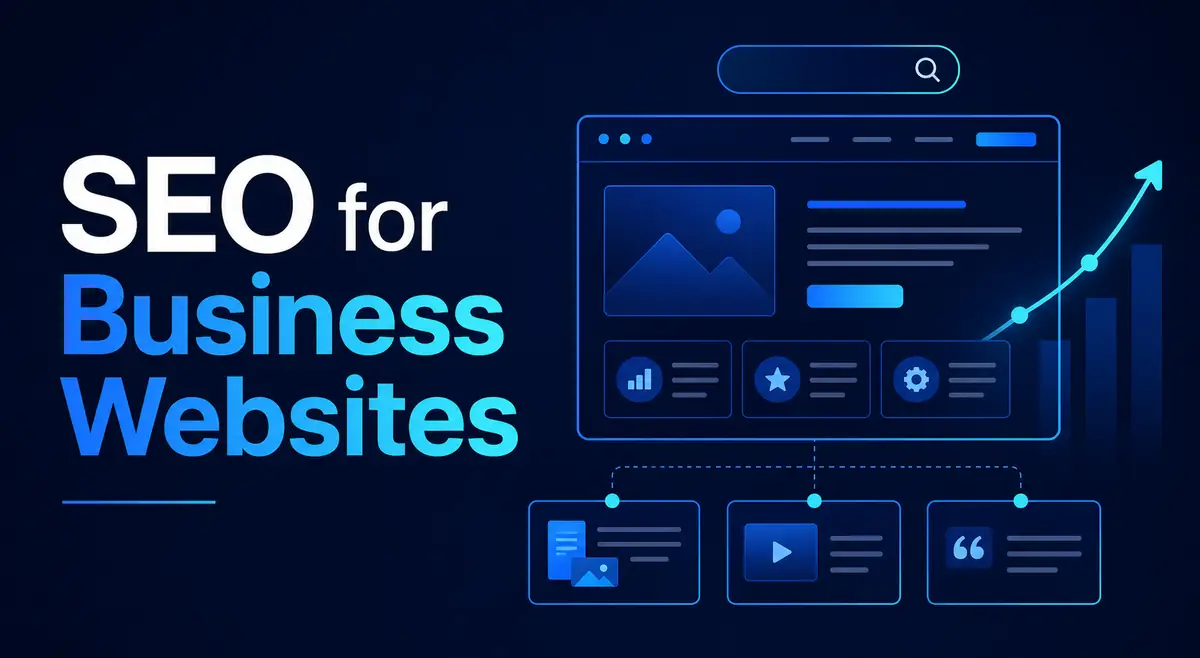
SEOSEO for Business Websites
Understand why search visibility still matters and how SEO connects content, structure, trust, and long-term growth.
Read Foundation Article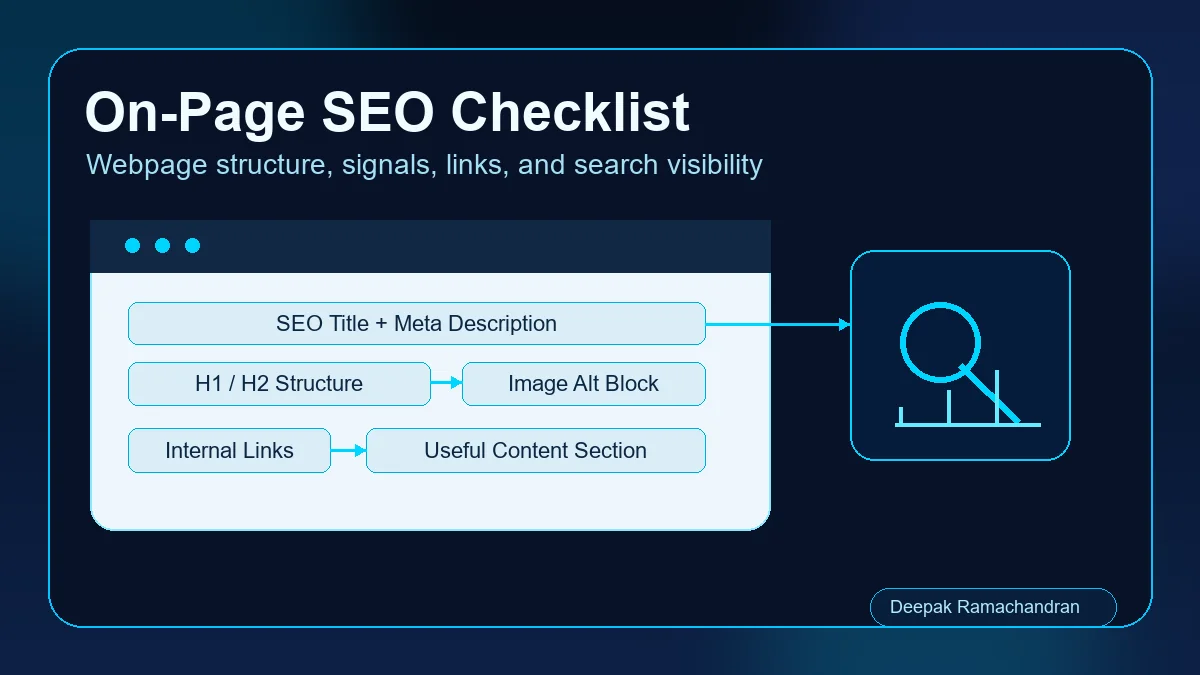 SEO
SEOOn-Page SEO Checklist
Review page-level SEO checks for titles, headings, content structure, internal links, image alt text, and clearer relevance.
Read Article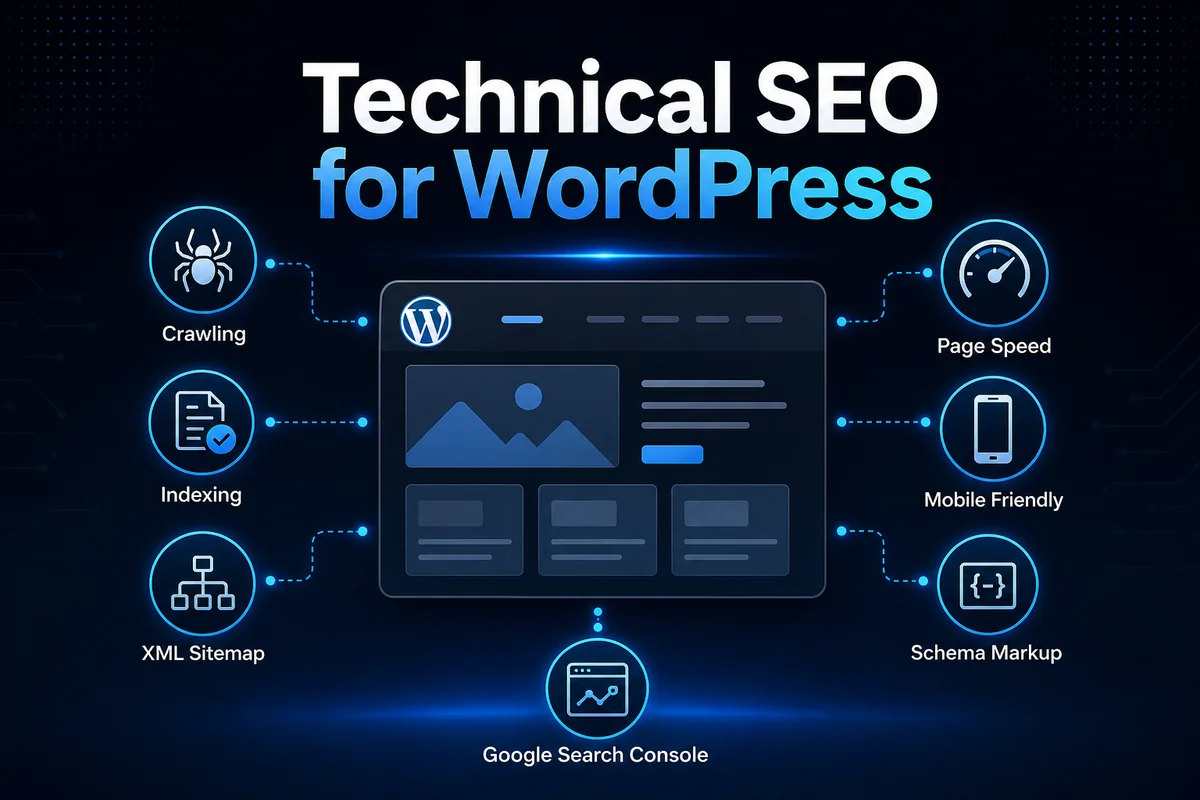 SEO
SEOTechnical SEO for WordPress
Learn practical WordPress technical SEO checks for crawling, indexing, sitemap structure, speed, schema, and cleaner visibility.
Read Article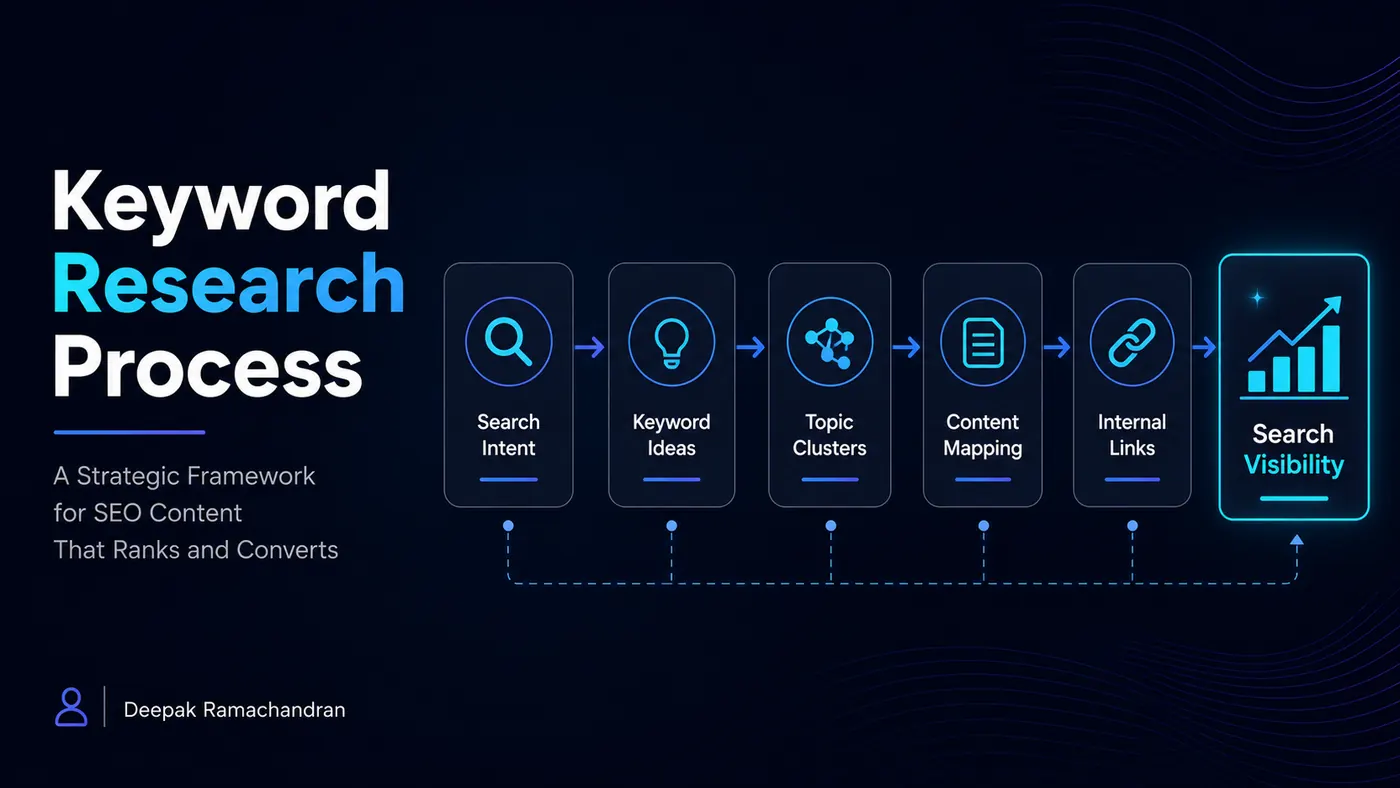 SEO
SEOKeyword Research Process
Follow a practical process for search intent, keyword grouping, content mapping, SERP analysis, and internal linking.
Read ArticleContinue the SEO Resource Path
Use the SEO Resource Hub to choose another topic, continue to a focused article for implementation detail, or explore the Services and Contact page when the discussion relates to a real website, audit, optimization requirement, or project.